How to bring in homebrew from a PDF, a web page or pasted text
The short answerBy hand: press Compendium, then ⋯ beside Homebrew, New homebrew… and the kind, write the entry's lines in the editor and press Create. Or connect your own chat app, such as Claude or ChatGPT, to Archivist once and hand it the homebrew as a PDF, a link or pasted text, asking it to add the entries to a compendium in Archivist. It uses your compendium, or asks which one when you have more than one, links what the SRD or your compendiums already have, asks about any number the text leaves open, and makes each entry. Then open the compendium and check them.
- For players and DMs
- 15 short steps
- Updated 20 November 2026, for Archivist 1.7.0
Try it with our sample homebrew. Only bring in content you own or have the right to use.
By hand, in the homebrew editor
- In the top bar, press Compendium.
- In the Compendiums list on the left, press the ⋯ beside Homebrew. On a computer it shows when you point at the row; on a phone or a tablet, press Compendiums first.
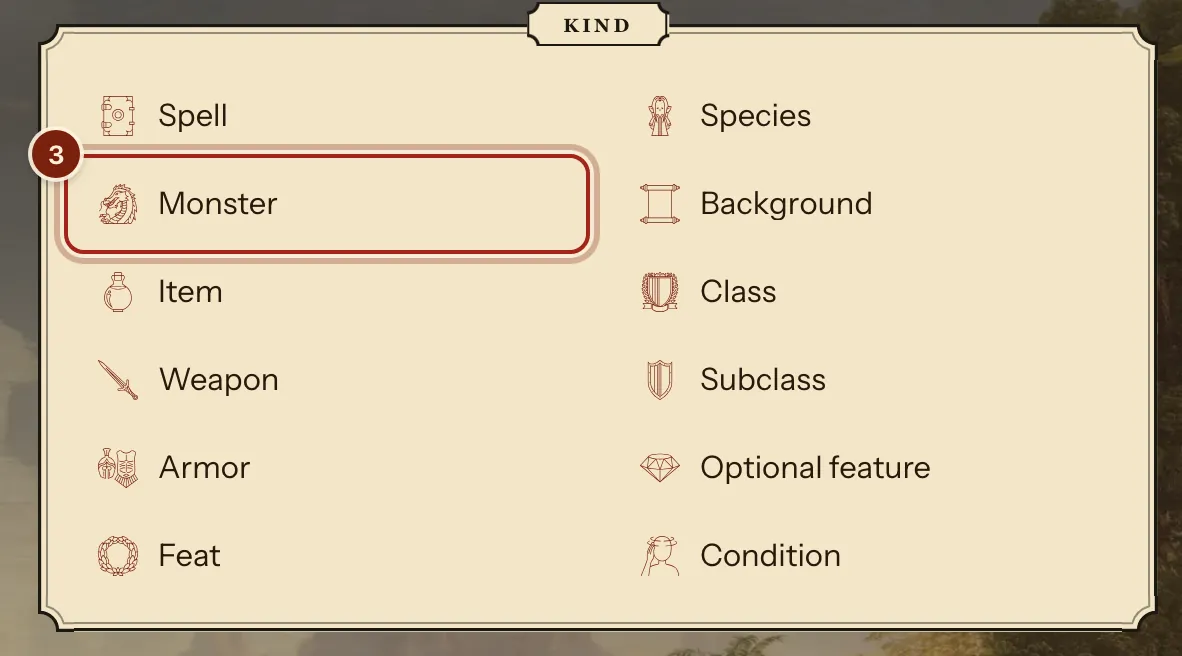
- Press New homebrew…, then the kind, such as Monster.
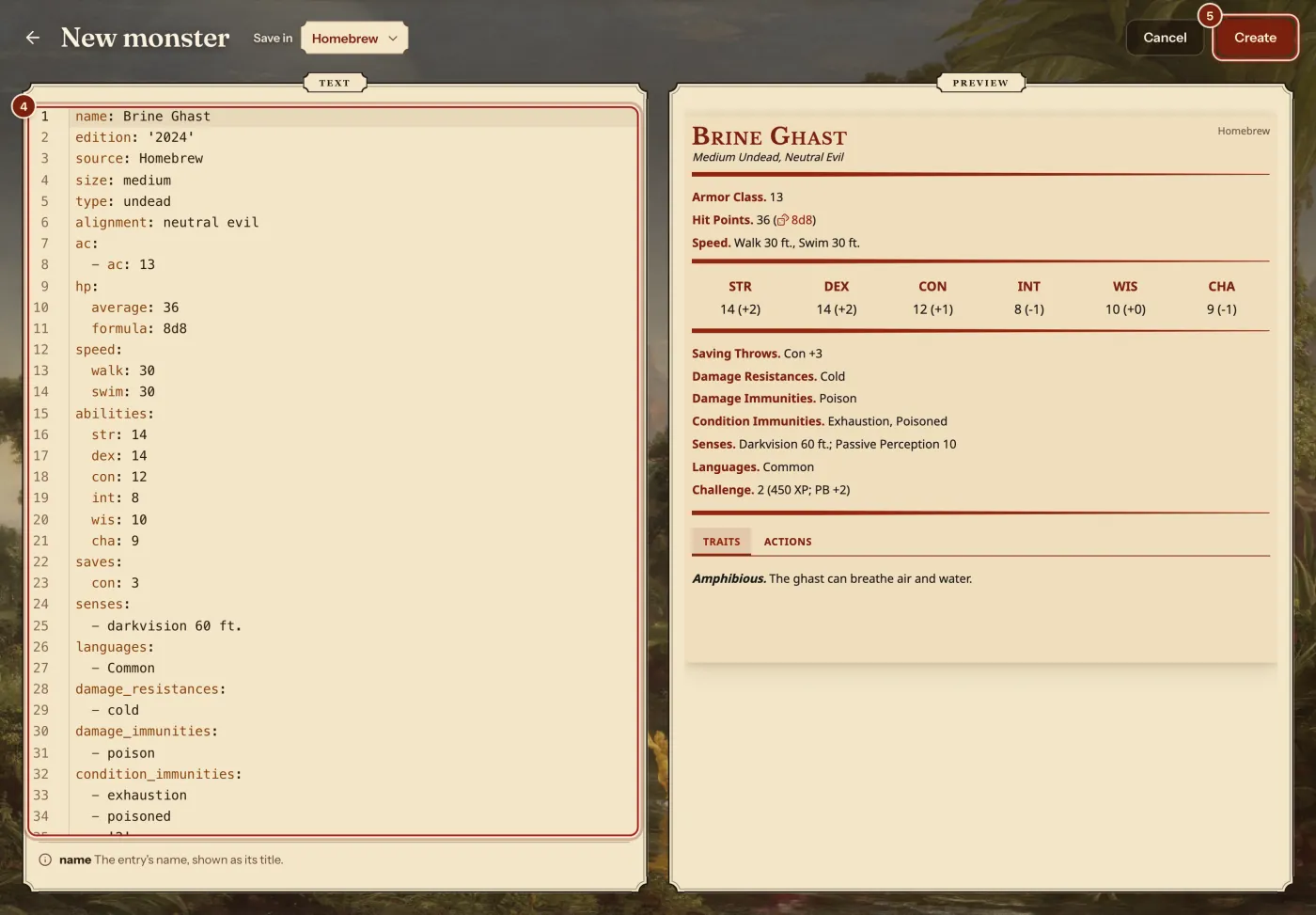
- In the Text box, write the entry in Archivist's lines, or paste lines you have. The Preview beside it draws the entry as you type.
- Keep Homebrew beside Save in, and press Create. The new entry opens in the Compendium.
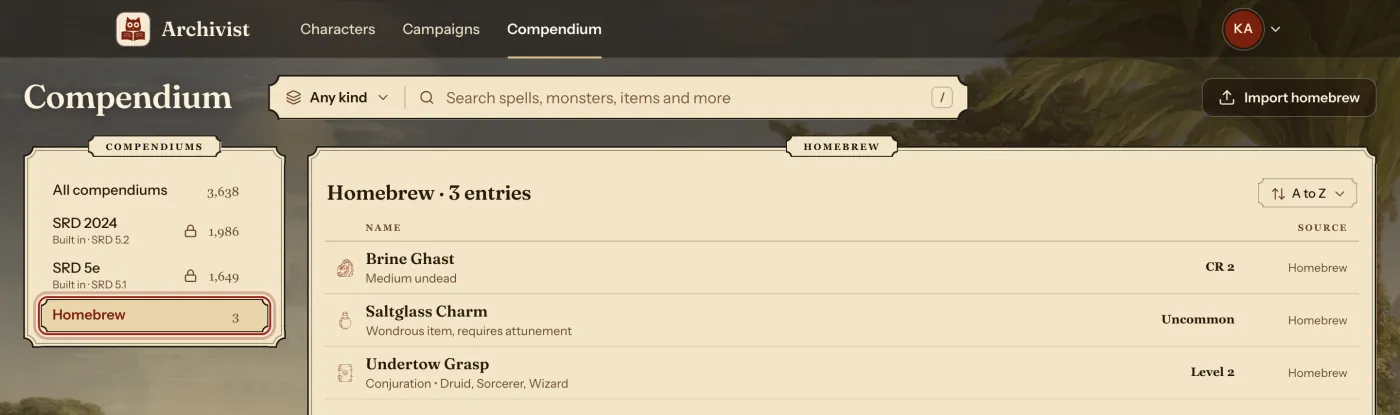
Make a homebrew monster has the Brine Ghast's lines from the sample page to paste, Make a homebrew magic item the Saltglass Charm's and Make a homebrew spell the Undertow Grasp's. Make homebrew from scratch explains the editor, and the Compendium format guide every line.
With your own chat app: connect it
- On the Compendium page, press Import homebrew.
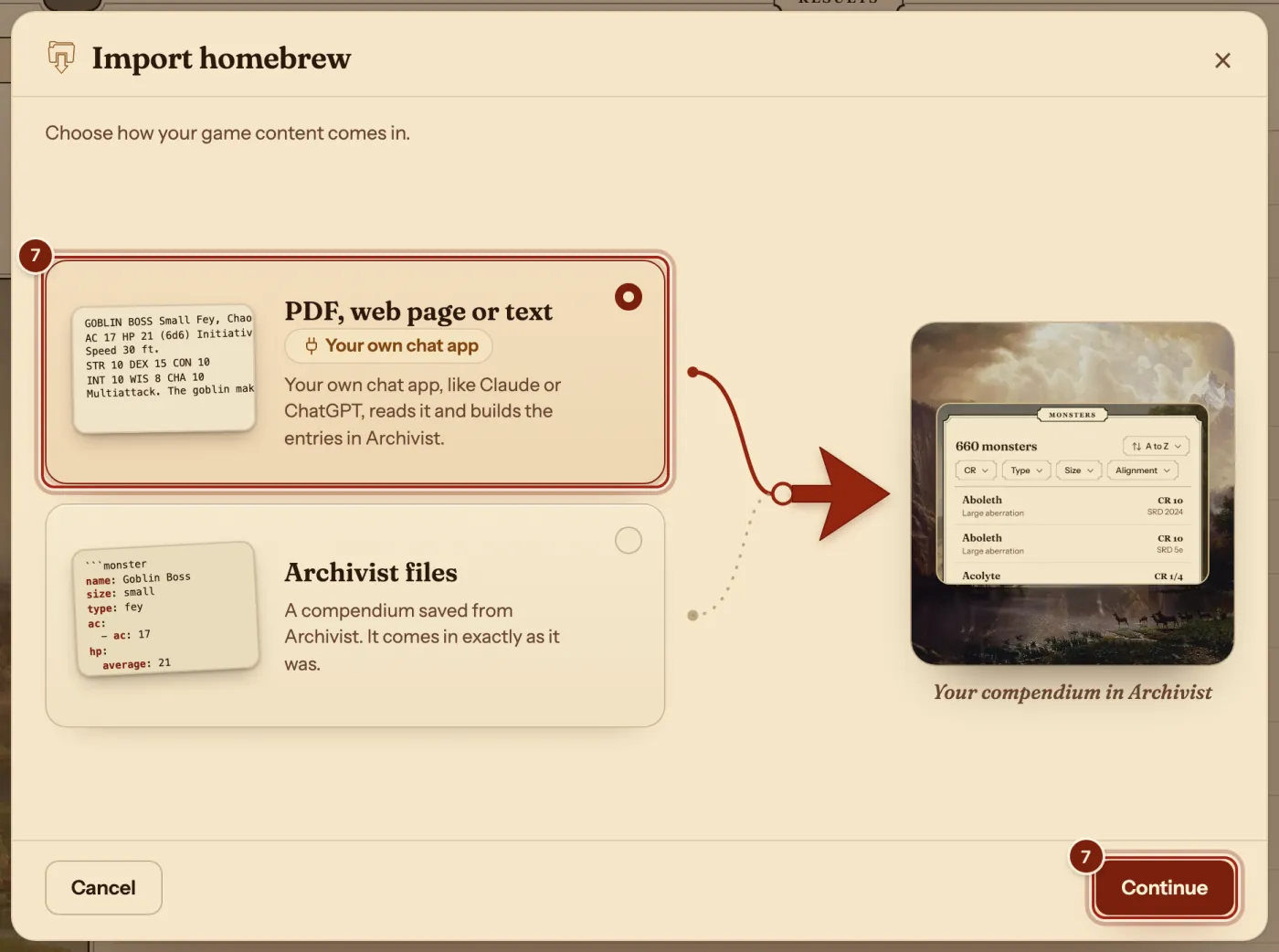
- Keep PDF, web page or text and press Continue.
The other card, Archivist files, brings in a compendium saved from Archivist, exactly as it was: see Share homebrew with your party.
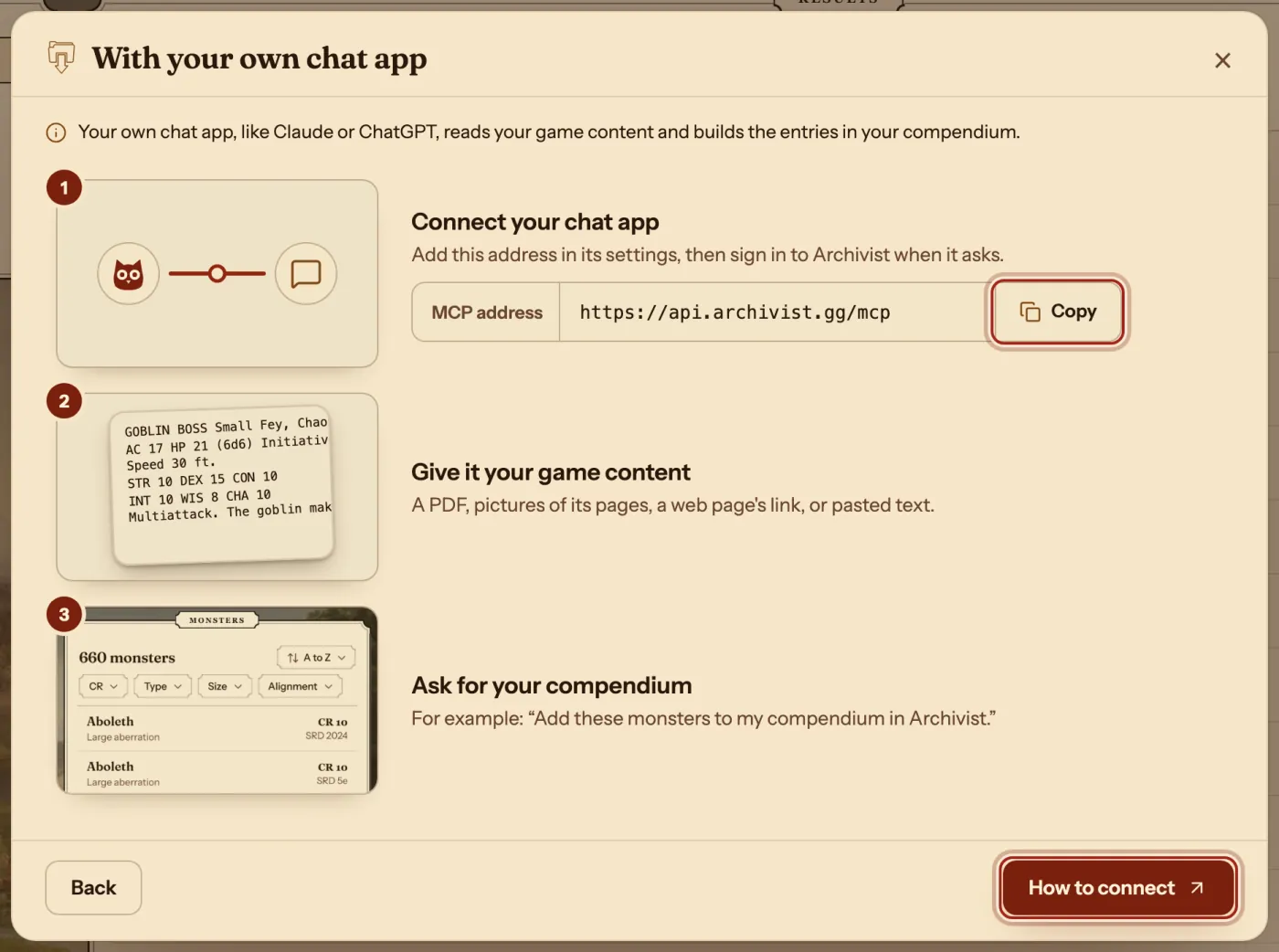
- Copy the MCP address and add it to your chat app:MCP address
https://api.archivist.gg/mcp - Press How to connect for your chat app's own steps, then sign in to Archivist when it asks and press Allow.
Connected already? Go straight to your chat app.
Give it your homebrew
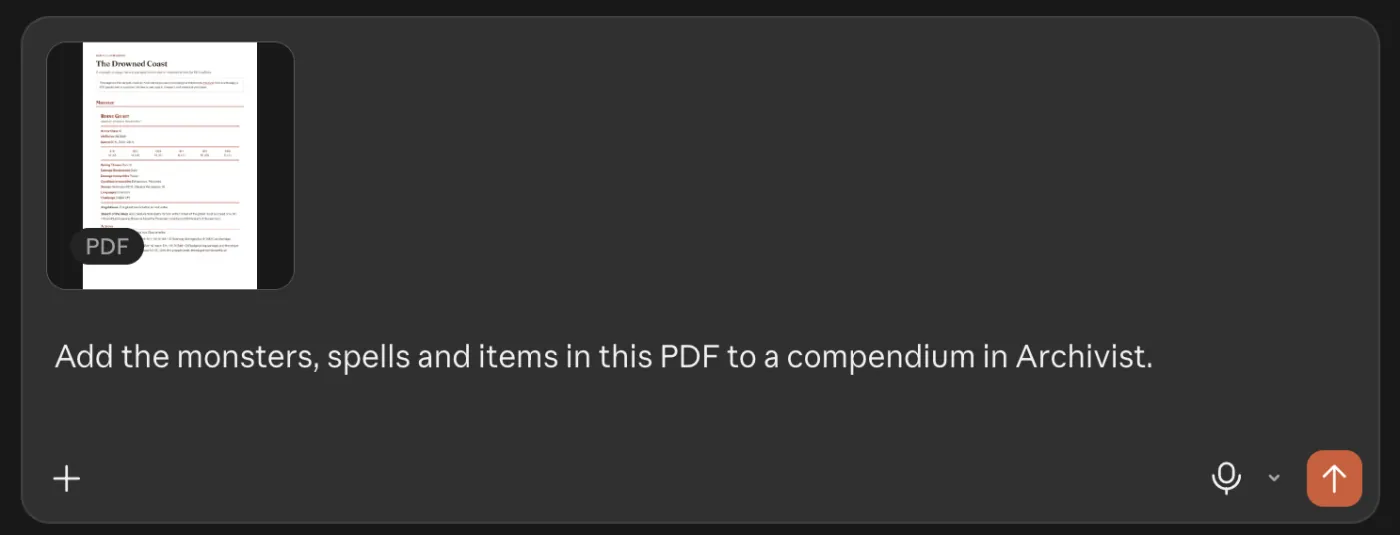
- Hand it over in one of three ways, each tried here with the sample page. A PDF: attach it in your chat app, such as drowned-coast.pdf from the sample page, and paste:Prompt
Add the monsters, spells and items in this PDF to a compendium in Archivist.
In Claude Code or Codex, put the file in the folder you start in and name it in the prompt instead: Prompts to copy for your chat app has that prompt, and one for a whole book.
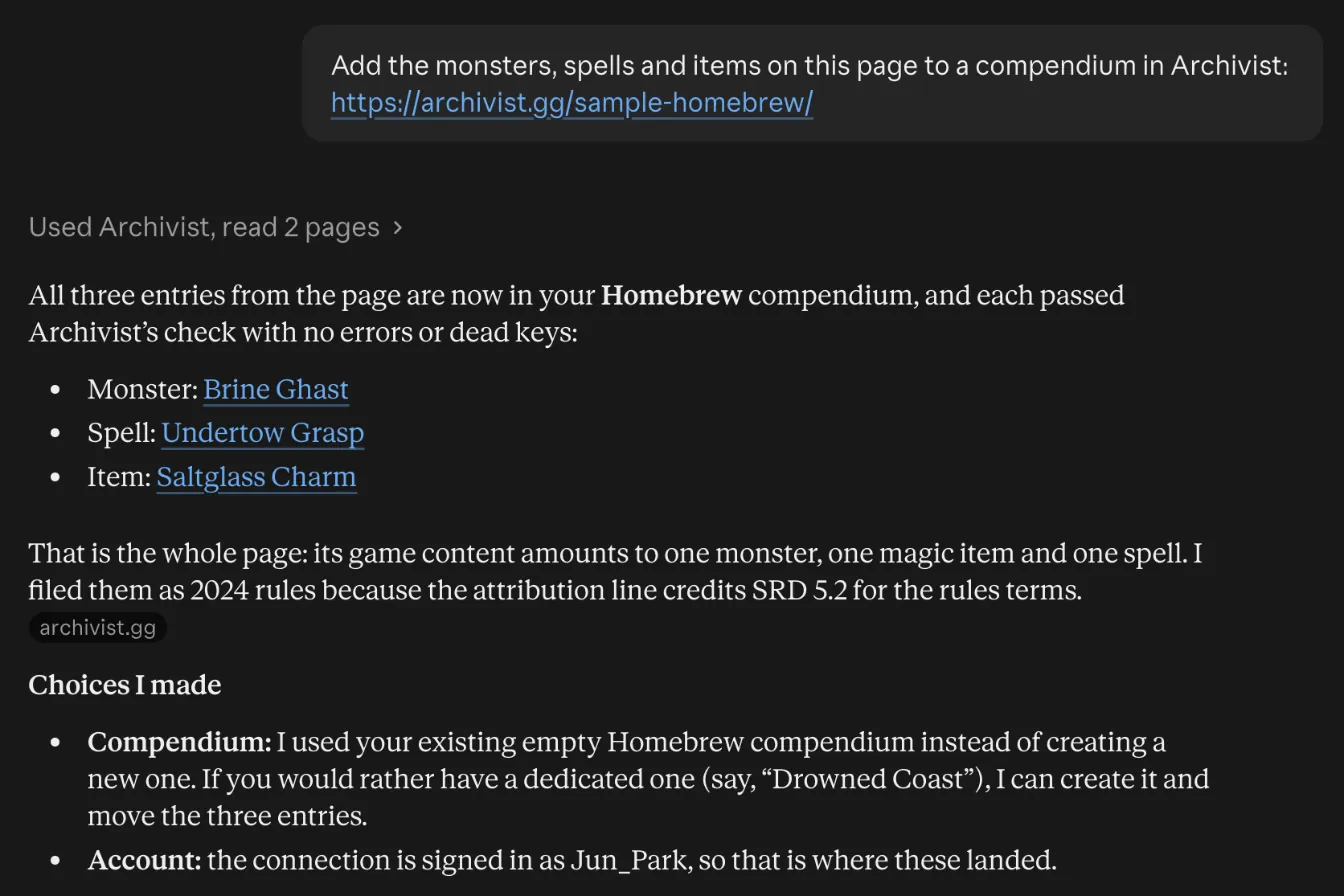
- A link: paste the page's address in the prompt:Prompt
Add the monsters, spells and items on this page to a compendium in Archivist: https://archivist.gg/sample-homebrew/
If your chat app cannot open the page, copy its text and paste it instead, as below.

- It reads the page itself, saves the entries, and says which compendium it chose.
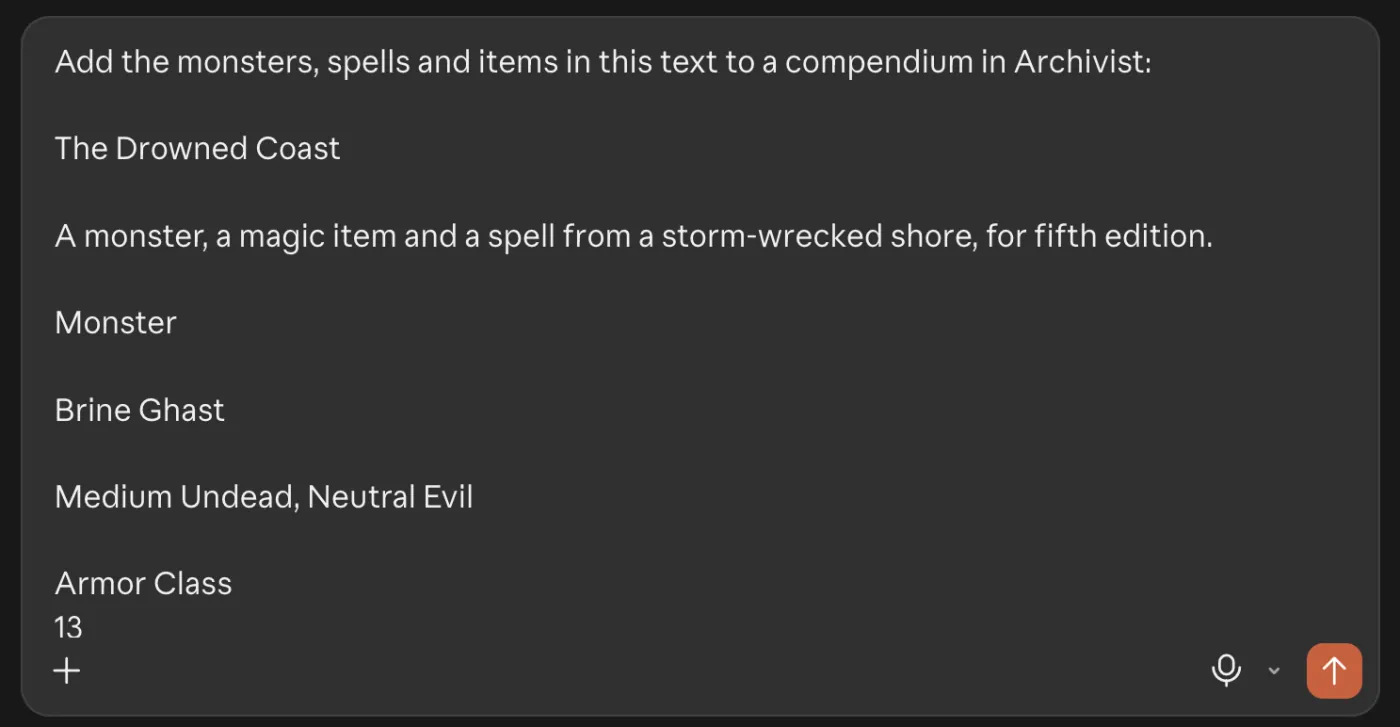
- Pasted text: copy the page's text, or your own notes, and paste it under this prompt:Prompt
Add the monsters, spells and items in this text to a compendium in Archivist:

(paste the text here)
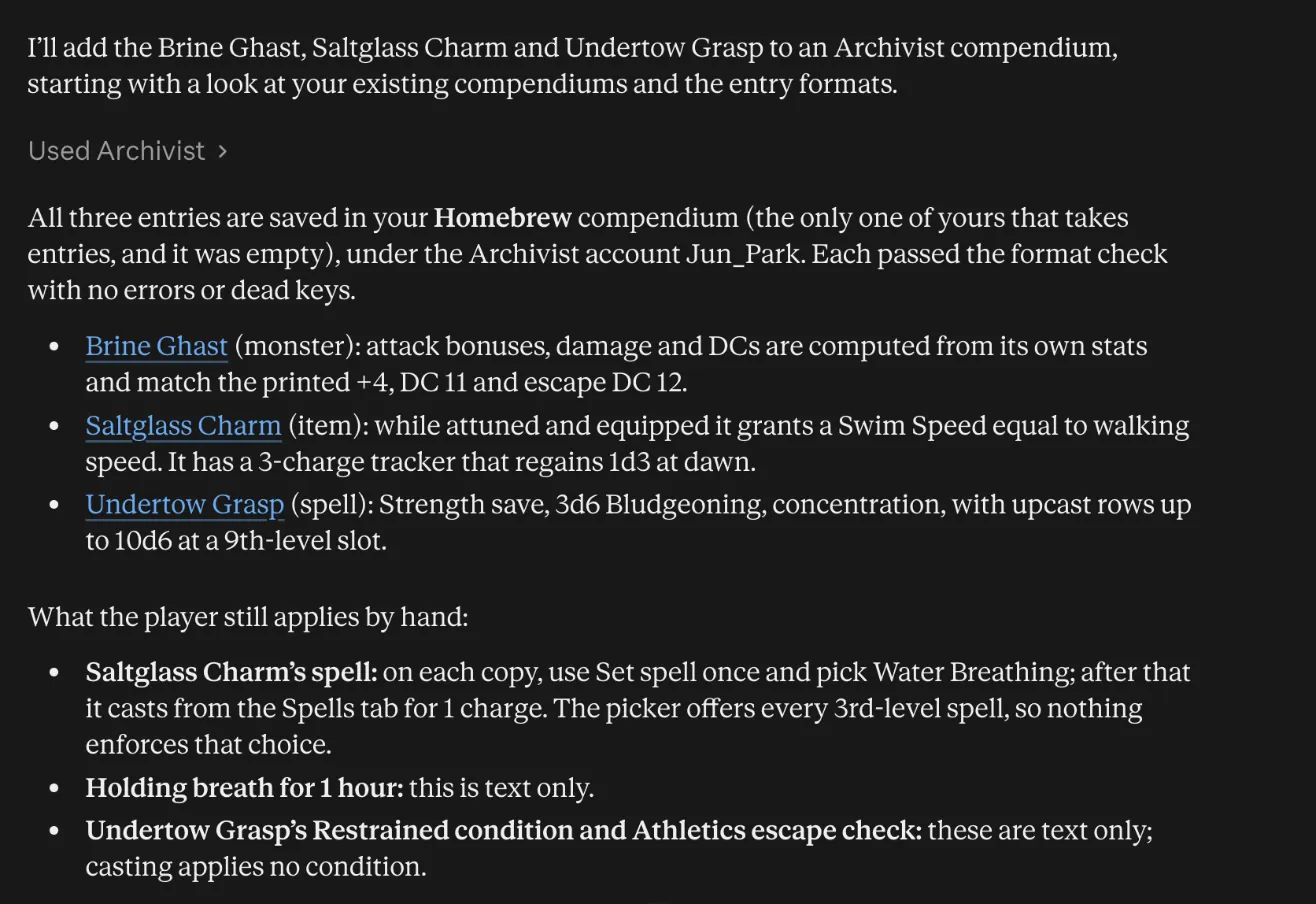
- Answer what it asks, and allow its Archivist tools if it asks. When it is done, it tells you where it saved each entry.
When you have more than one compendium of your own, it asks which one the entries go in, or offers to make one; with one, it uses it and tells you so. It asks about any number the text leaves open, such as a recharge or a damage die. What the SRD or your compendiums already have is linked, not written again.
- Press Compendium in Archivist and pick the compendium in the Compendiums list on the left: the new entries are there. Open one to check it.
Your chat app's report lists the entries it made, the ones it linked instead because they were there already, and anything the player applies by hand.
Which way in
You can write any entry yourself; your chat app takes the rest, and Archivist files come in on their own.
| You have | Give it | Then |
|---|---|---|
| An entry you know by heart, or a few lines to copy | The homebrew editor: Compendium, ⋯ beside Homebrew, New homebrew… | Write its lines and press Create. See Make homebrew from scratch. |
| A PDF or pictures of a book's pages | Your chat app, as a file | Ask it to add the entries to a compendium. |
| Homebrew on a web page | Your chat app, with the page's address, or its text copied in | The link prompt, or the same prompt with the text under it. |
| Your own notes or pasted text | Your chat app, pasted into the prompt | The same prompt, with the text under it. |
| Archivist files: a compendium zip or its entries | Import homebrew, Archivist files | It comes in exactly as it was. See Share homebrew with your party. |
Questions
Can I check the entries before they are saved?
Yes. Ask your chat app to show you the entries before it saves them. Each one it saves is in your compendium at once.
Claude says its own check stopped a save. What now?
Tell it to go ahead, or change that tool's setting in Claude's tool permissions for Archivist, then ask again.
A web page will not come in. What now?
Open the page in your own browser, copy its text, and paste it into your chat app with the prompt.
Can I bring in a whole book?
Yes. Give your chat app the whole PDF and it agrees with you what to bring in, then works through it in batches. See Bring a whole homebrew book into Archivist.
The homebrew changed. Do I start again?
No. Give your chat app the new version and ask it to update the entries in that compendium. A compendium file from Archivist comes in through Archivist files: see Update your homebrew.
Can I fix an entry afterwards?
Yes. Your own entries have a ⋯ button with Edit. The Compendium format guide explains the lines.
Keep going
- Prompts to copy for your chat appCheck the connection, bring in a sheet, a book or homebrew, and fix notes.
- Bring a whole homebrew book or supplement into ArchivistGive your chat app the book, and it brings it in batch by batch.
- Connect your own chat app to ArchivistAdd one address in your chat app, sign in, and it can read and change your characters.
- Share homebrew with your partyExport your compendium as a zip; they bring it in with Import homebrew.