How to share homebrew with your party
The short answerOn the Compendium page, press ⋯ beside your compendium in the Compendiums list, then Export, and send the zip file to your players. Each player presses Import homebrew, then Archivist files and Continue, drops the file in and presses Import. The whole compendium is then in their own list, and their Builder and sheets can use every entry.
- For DMs and players
- 9 short steps
- Updated 18 November 2026, for Archivist 1.6.2
Only share homebrew you made, or that its maker lets you share.
Save your compendium as one file
- On the Compendium page, find your compendium in the Compendiums list on the left and press the ⋯ beside it. On a computer it shows when you point at the row; on a phone or a tablet, press Compendiums first.
- Press Export.
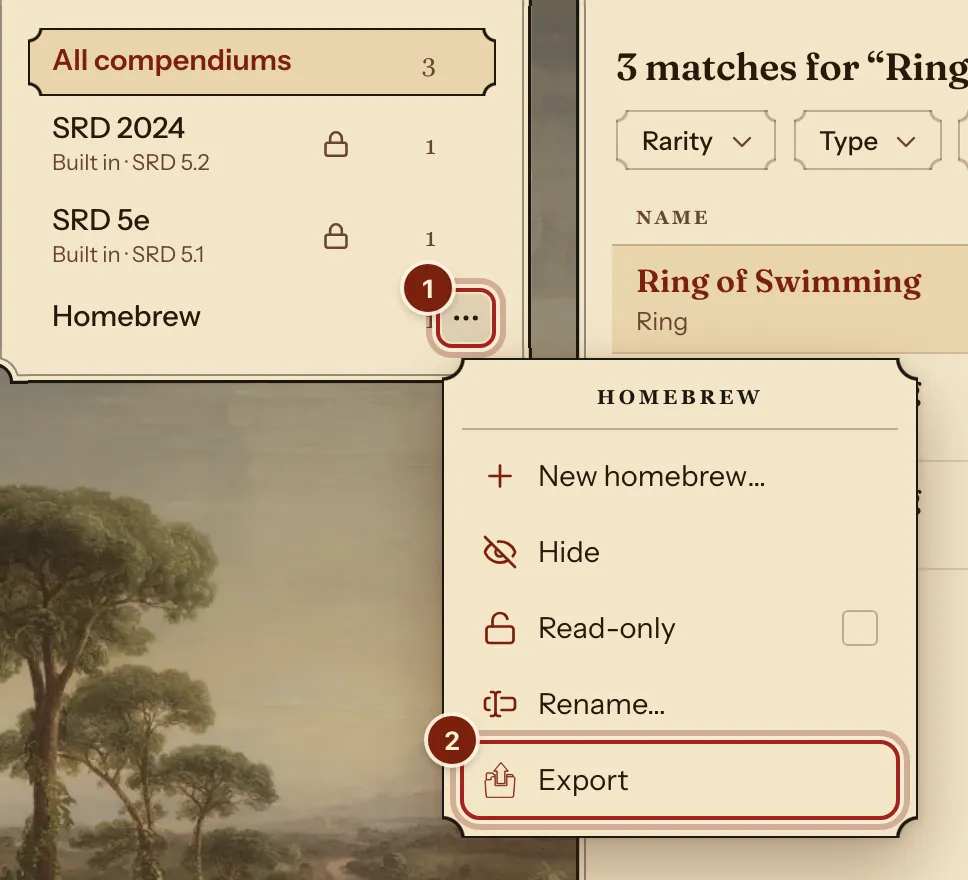
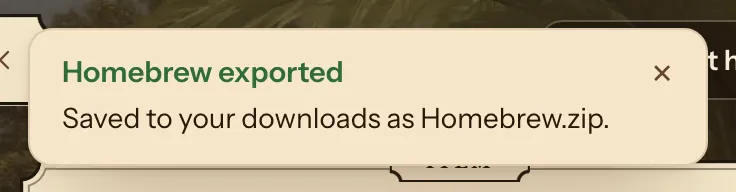
- The zip file goes to your downloads, and a note says its name. Send it to your players.
Your players bring it in
- On the Compendium page, the player presses Import homebrew.
- They press Archivist files, then Continue.
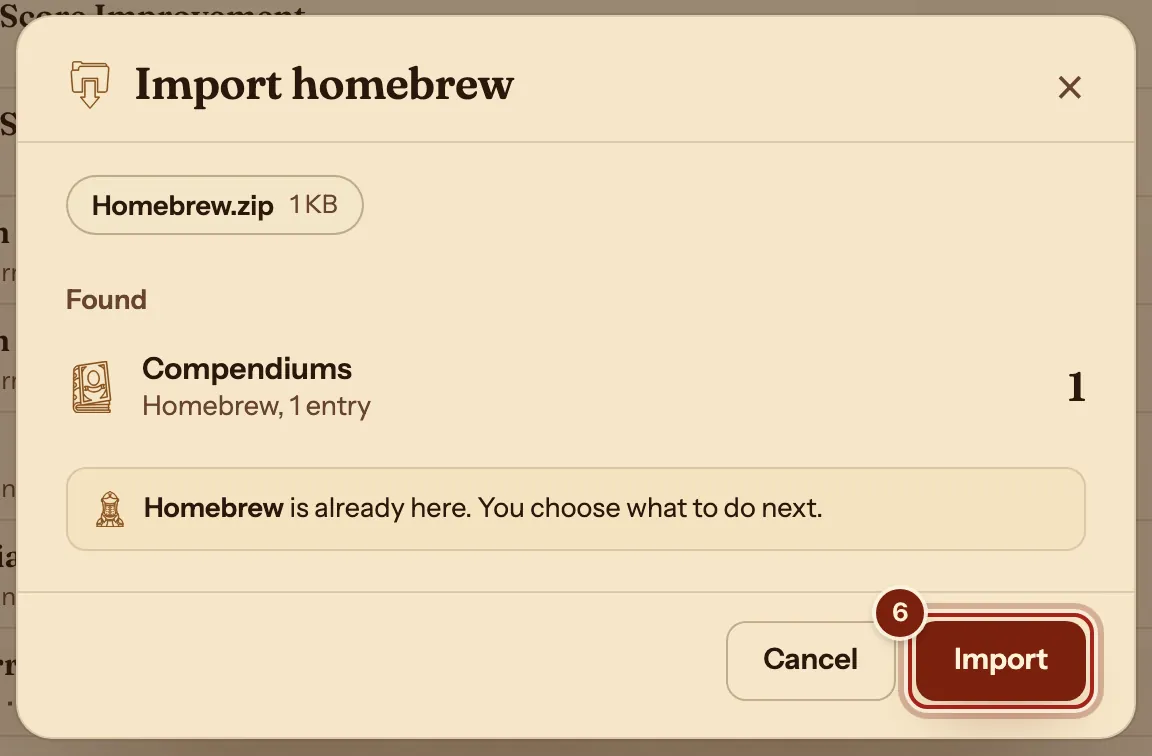
- They drop the zip file in, or press Choose files. The window says what it found. Press Import.
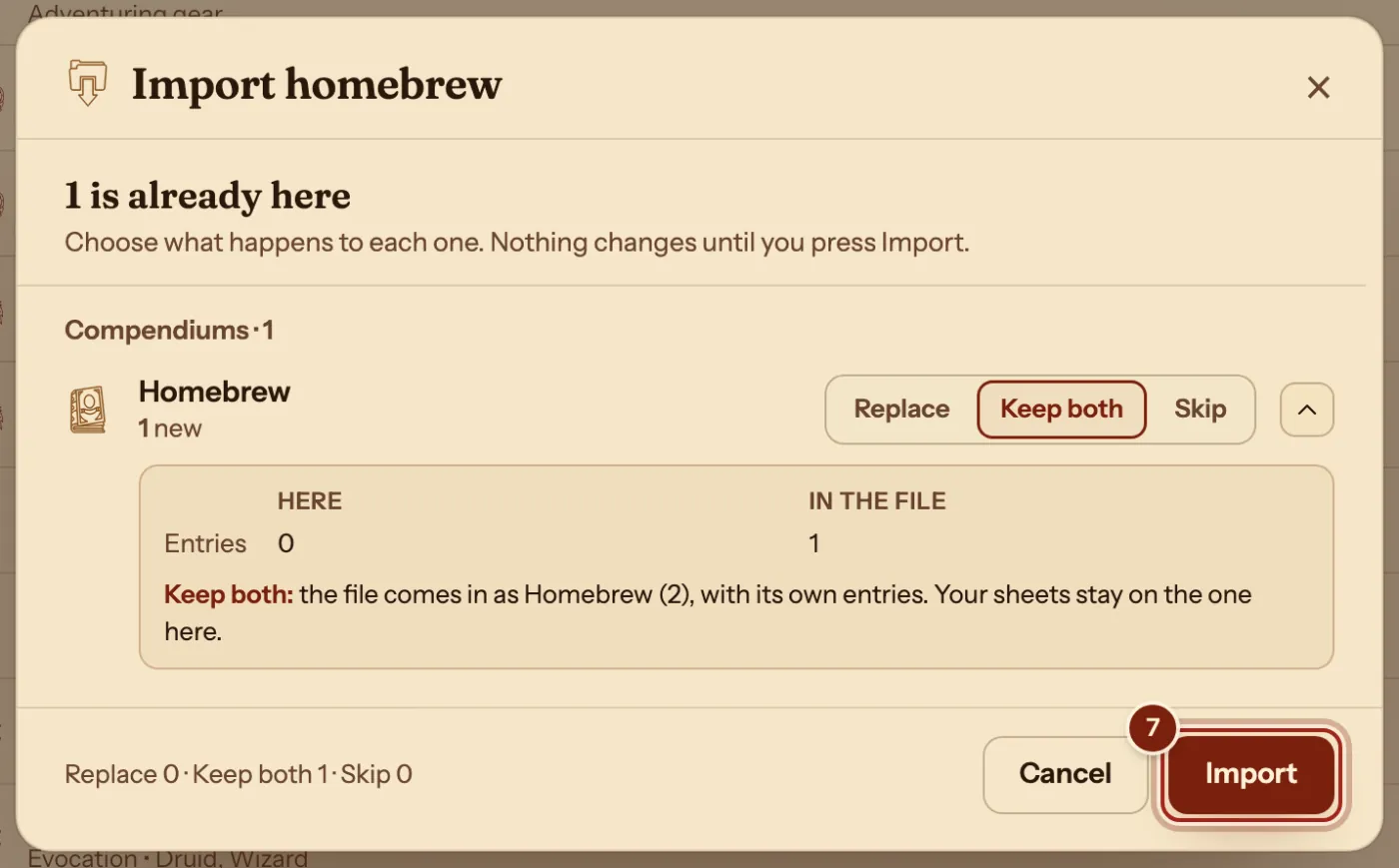
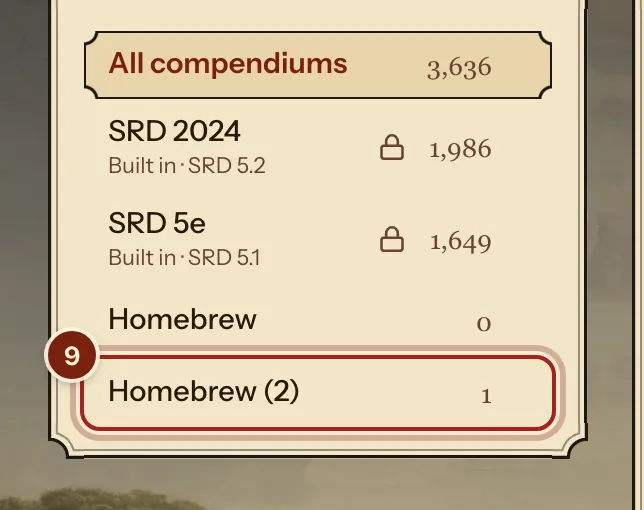
- Every account has a compendium called Homebrew, so the window says 1 is already here. Replace is picked: it adds your entries to theirs and leaves their own as they are. To keep yours apart, they press Keep both. Then Import.
- Press Done. The compendium is in the Compendiums list on the left.
- Build with it. Its entries sit in the same lists as the SRD, in the Builder and on the sheet.
What comes across
A zip from Export holds the whole compendium.
| In the file | On the other side |
|---|---|
| Every entry in the compendium | Classes, subclasses, species, spells, items and the rest, ready in every list. |
| Your later changes | Send a new file. The player chooses Replace, Keep both or Skip. |
Questions
Where can I find homebrew other people made?
Players share compendiums on our Discord. Download one, then drop it into Import homebrew in the same way.
Do my characters need the file too?
Your sheet uses entries from your own compendiums, so bring the file in before you pick its entries in the Builder.
Can I hide a compendium I am not using?
Yes. Press ⋯ beside it in the Compendiums list, then Hide. A hidden compendium stays out of every other list and picker, and links to its entries still open. Show in the same menu brings it back.
Keep going
- Compendium format guideHow a line works, the twelve kinds of entry, and the homebrew editor's help.
- Make a homebrew class and play itCopy the closest class, change it in the homebrew editor, and play it.
- Bring in homebrew from a PDF, a web page or pasted textGive your chat app the PDF, the page or the text, and it makes the entries.
- Invite players and join a campaignSend the invite link; they ask to join with a character; you press Accept.
- Make a homebrew magic itemWrite it in the homebrew editor, then add it from your character's Inventory.