How to multiclass a character
The short answerOn your sheet, press the gear beside your name and choose Level up, then press A new class and add the class you want. To set several levels at once, open the Builder instead and press Add another class on Class & Levels. Either way, the sheet adds up your spell slots with the multiclass table, keeps Warlock Pact Magic separate, and gives each class its features at its own levels.
- For players
- 13 short steps
- Updated 18 November 2026, for Archivist 1.6.2
Example: Ser Aldric Vane, a Paladin 9, takes his first level of Sorcerer.
Add a class with Level up
- On your sheet, press the gear beside your character's name and choose Level up. On a phone, press your portrait or name for this menu.
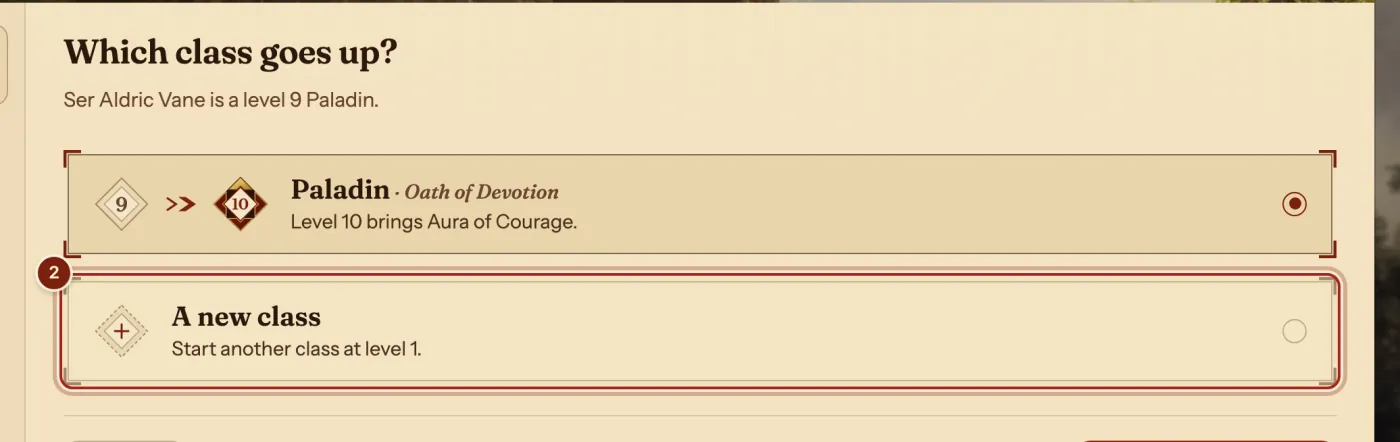
- Under Which class goes up?, press A new class.
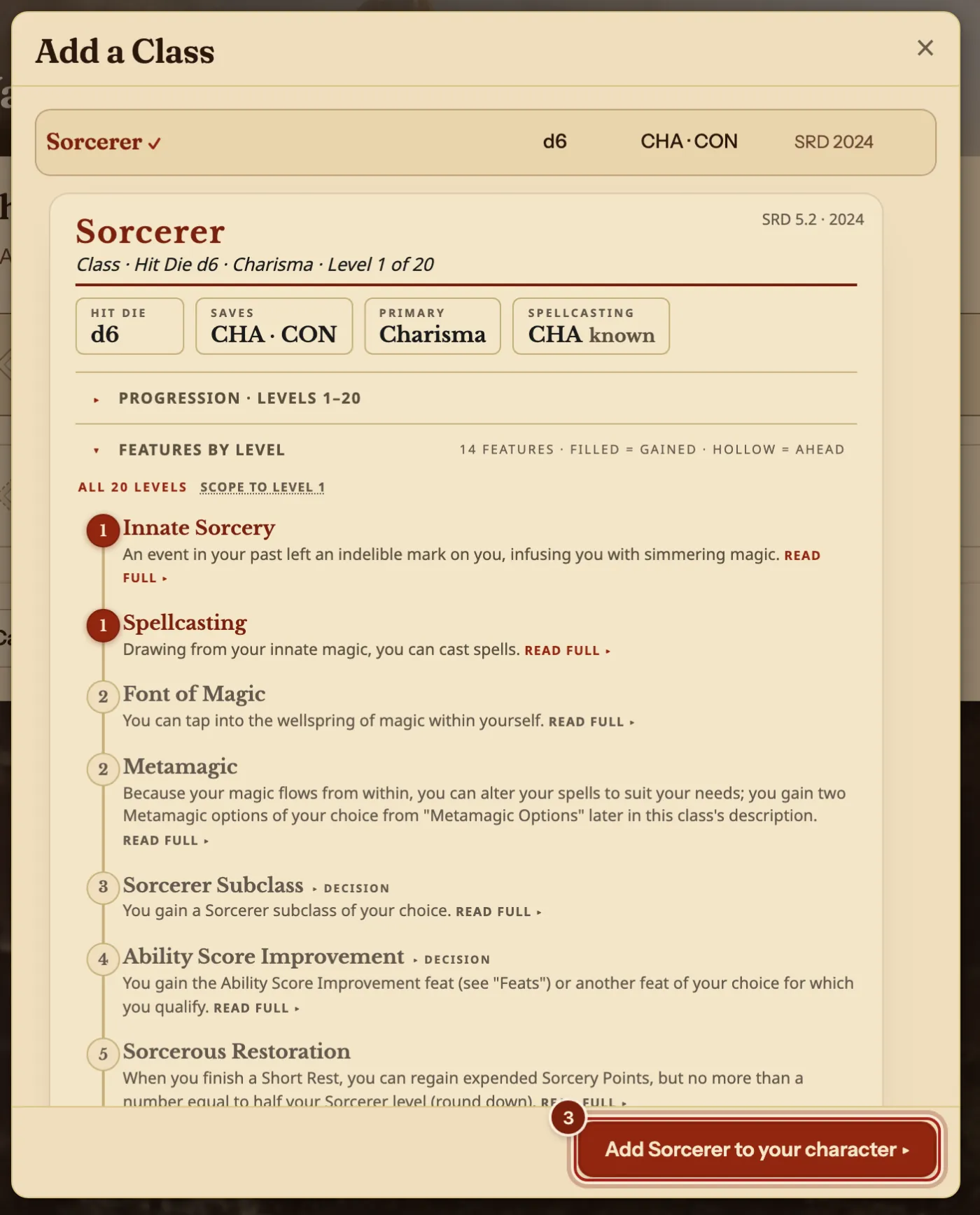
- In the Add a Class window, press a class to read it, then press the button that names it, such as Add Sorcerer to your character.
A class you already have is left out of the list.
- Press Next: What you gain: it lists what level 1 of your new class brings. Make any choice marked with !.
- Press Next: Hit points. Fixed value fills the number in; if you roll your hit points, press Roll your d6 or type your roll. A class that casts spells shows Next: Spells next: you pick its spells in Manage spells once the level is done.
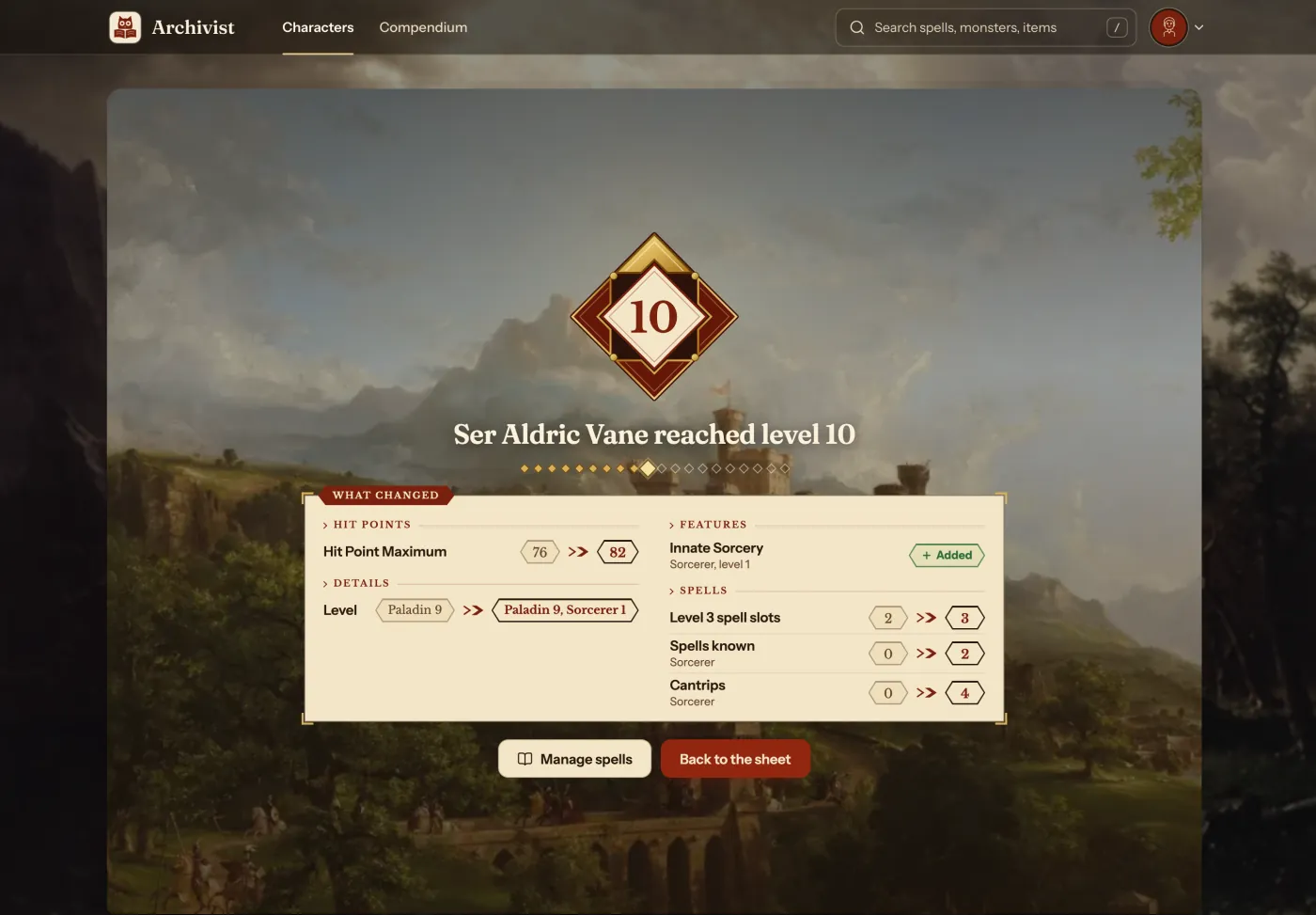
- Press Finish level 10. The list of what changed shows your new class.
Or set several levels in the Builder
- On your sheet, press the gear beside your character's name and choose Builder.
- On the left, press Class & Levels, then Add another class under your class's card.
- In the Add a Class window, press the class, then the button that names it.
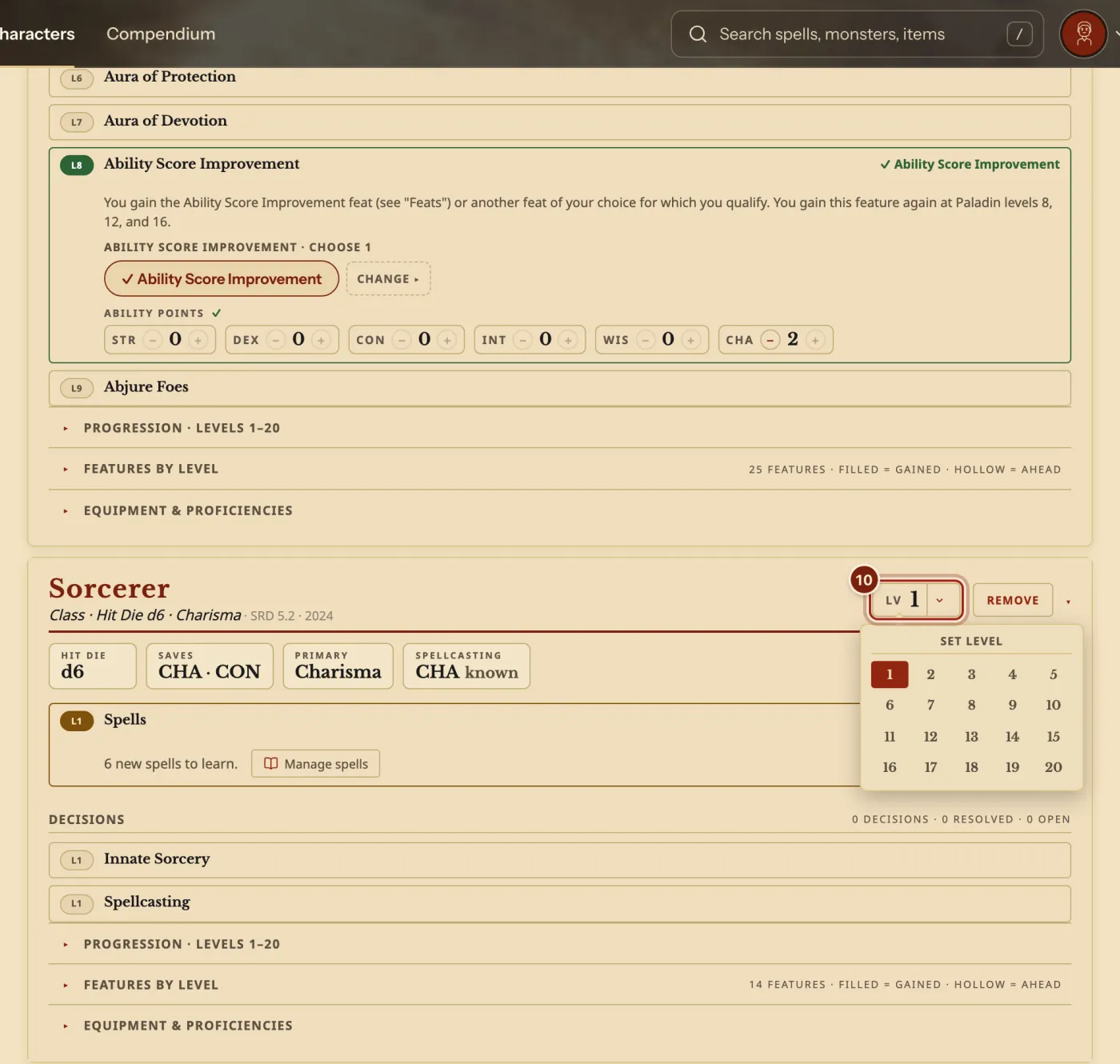
- On the new class's card, press Lv 1 to open Set level, and pick its level.
- Make the choices its card marks with !.
A note on the card says when a class usually asks for 13 or more in an ability. Nothing stops you: your table decides.
- Press Done at the end of the steps, or View sheet at the top.
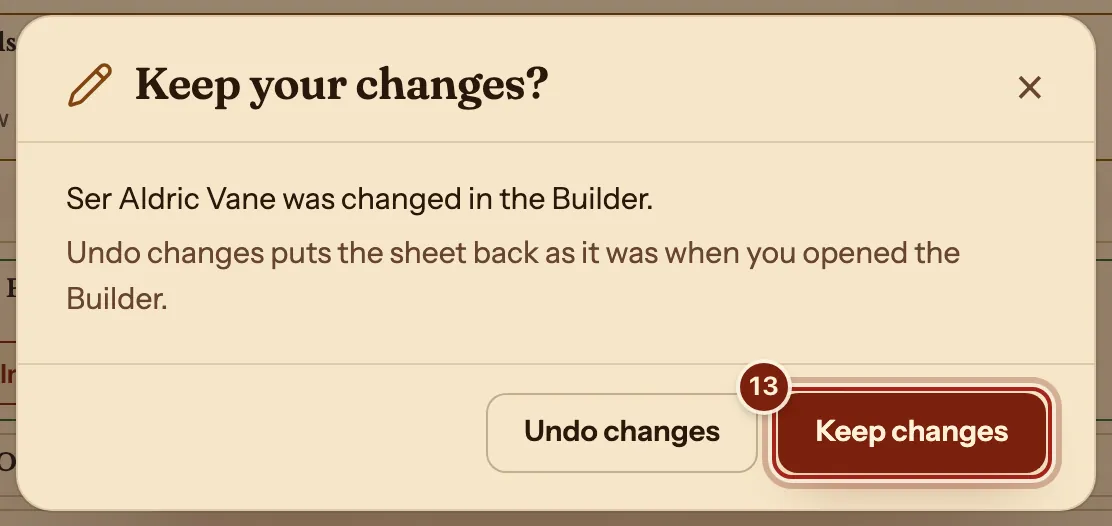
- Archivist asks Keep your changes? Press Keep changes.
What the sheet works out
You set the levels; the sheet does the counting.
| Part | How it is worked out |
|---|---|
| Spell slots | The multiclass spellcaster table: full casters count every level, half casters half, third casters a third. |
| Warlock Pact Magic | Kept apart, with its own slots that come back on a Short Rest. |
| Features | Each class gives its features at its own class level. |
| Hit points | Your first class's die sets level 1; each level after adds its own class's die, on the Builder's Hit points step. |
| Saving throws | From your first class, as the multiclass rules say. |
| Ability score minimums | Shown, never enforced: a note says when a class usually asks for 13 or more. |
Questions
Does it stop me if I don't have 13 in the ability?
No. In the Builder, a note on the class card says what the class usually asks for, and you keep the class if your table allows it.
Can I add more than one level at once?
Level up adds one level at a time. For several levels, or to go back a level, use the Builder's Lv button.
Can I take a level in a homebrew class?
Yes. Homebrew classes sit in the same list. See Make a homebrew class.
How do I remove a class I added by mistake?
In the Builder, on its card in Class & Levels, press Remove, then Confirm.
Where do I see my spell slots?
On the Spells tab, where each level's slot boxes add up every caster class you have. See Track spell slots.