How to level up a character
The short answerOn your sheet, press the gear beside your name and choose Level up. Pick the class that goes up, press Next: What you gain and make the choices marked with !, then press Next: Hit points and Finish. Nothing on the sheet changes until you finish, and the last screen lists everything that changed.
- For players
- 13 short steps
- Updated 18 November 2026, for Archivist 1.6.2
This page's example is Grendal the Wary, a Dwarf Fighter going from level 5 to 6.
Start Level up
- On your sheet, press the gear beside your name. On a phone, press your portrait or name at the top.
- Choose Level up. Beside it, the menu shows the level you reach, such as to 6.
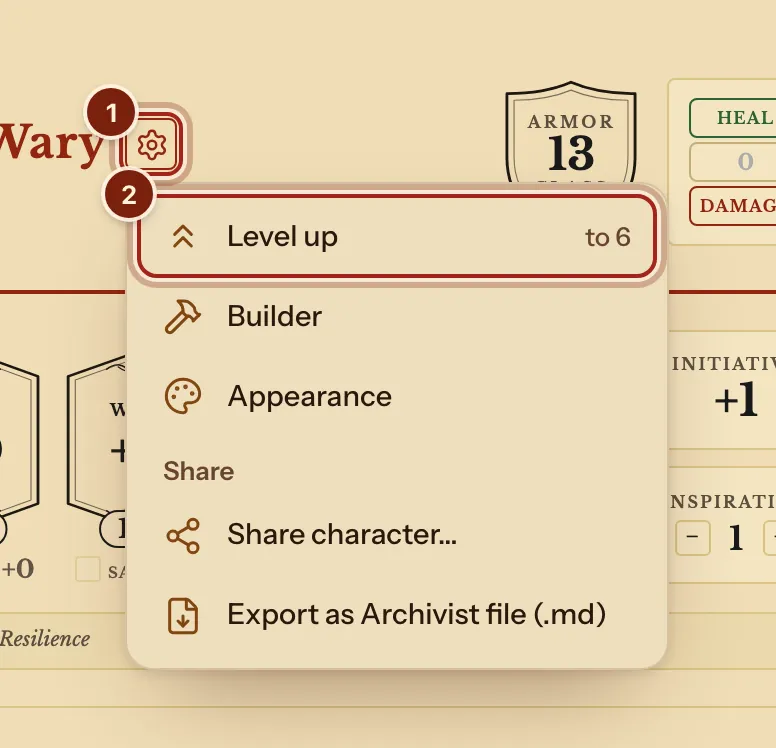
Pick the class and make the new choices
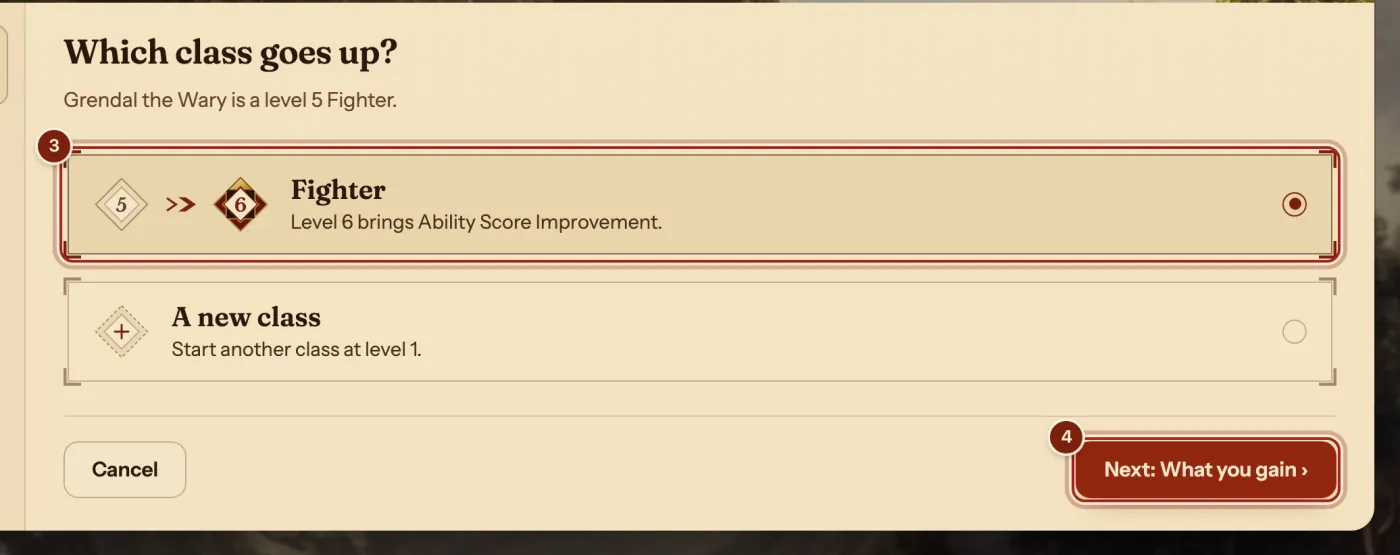
- Under Which class goes up?, press your class. Its card says what the new level brings, such as Level 6 brings Ability Score Improvement.
- Press Next: What you gain.
A character with more than one class gets a card for each. A new class starts another class at level 1: see Multiclass a character.
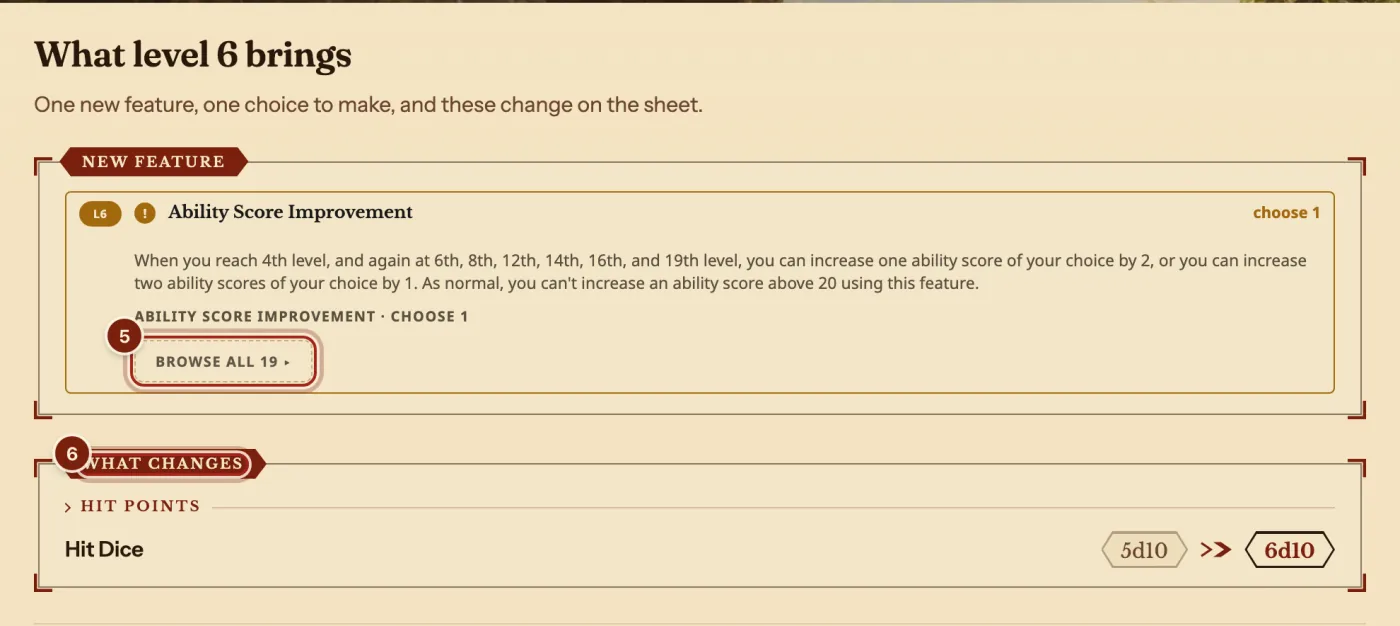
- Make each choice marked with !. Here it is Ability Score Improvement: press Browse all, pick Ability Score Improvement to raise your scores or a feat such as Alert, and press Done.
- Check What changes: each number on the sheet that goes up, from what to what.
If a feat asks for something your character does not meet, a note under the pick says so. Nothing is blocked: your table decides.
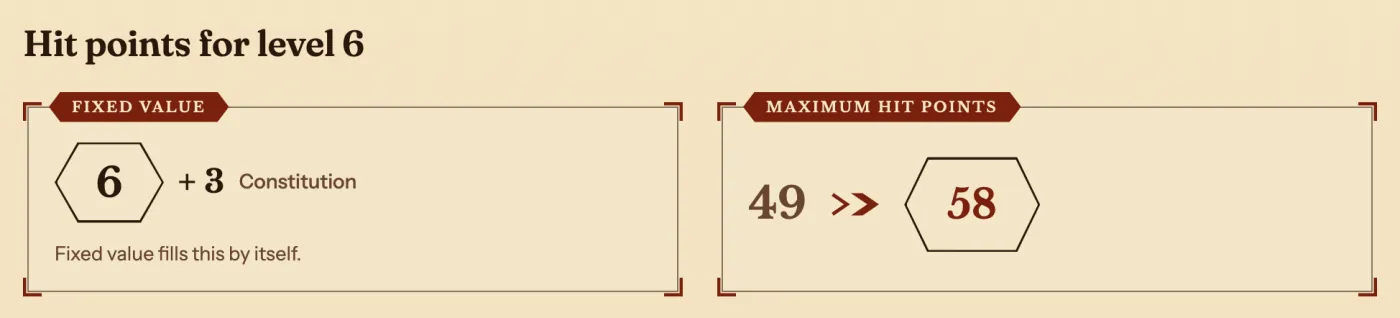
Hit points, then finish
- Press Next: Hit points. With a fixed value, the new hit points are already filled in. If you roll yours, press Roll your d10, or type the number you rolled at the table.
A spellcaster gets Next: Spells first. It shows what the level brings, and you pick the spells in Manage spells once the level is done.
- Press Finish level 6.
- Read What changed, then press Back to the sheet. A spellcaster also gets Manage spells here.
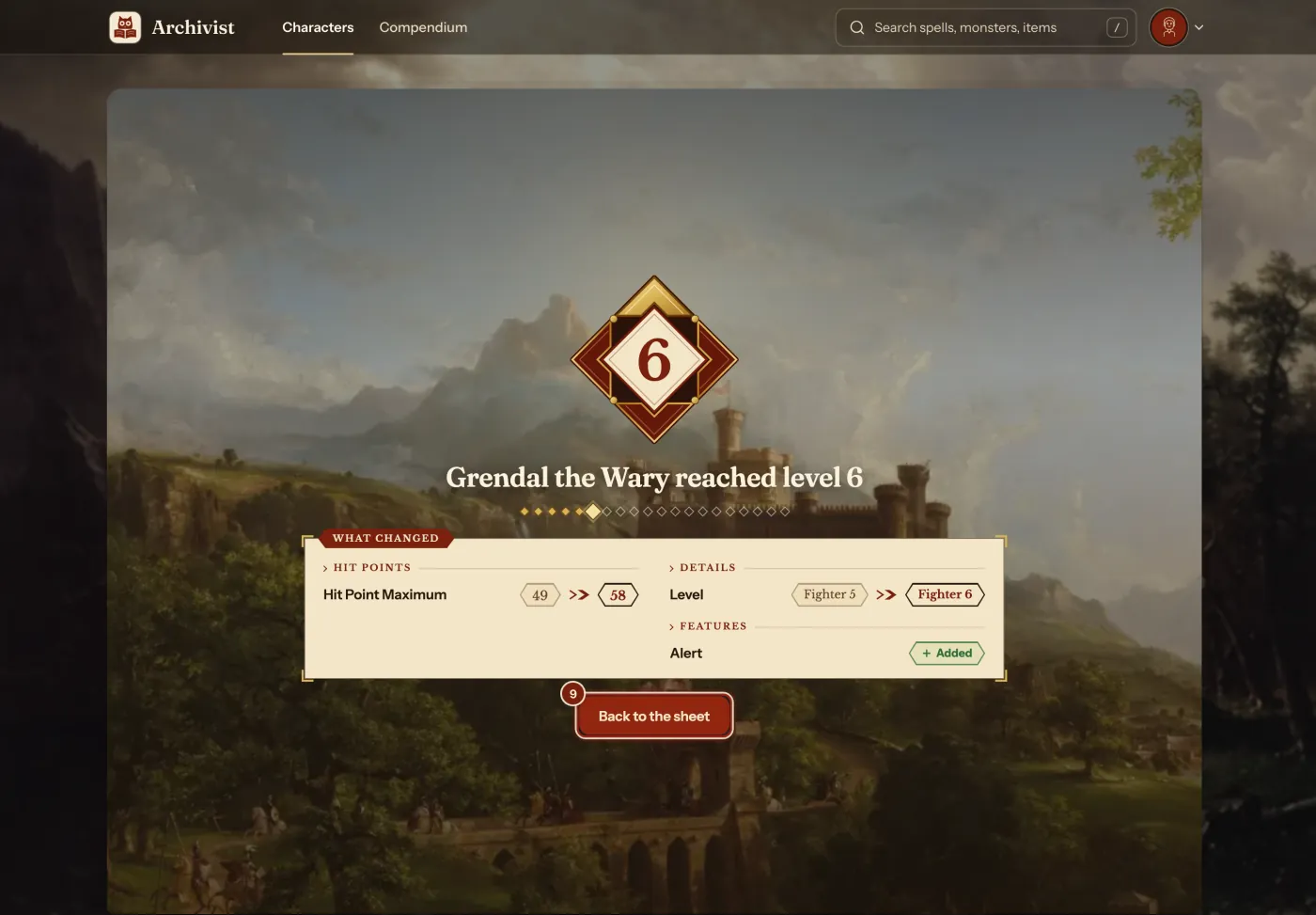
- Play. Your sheet has the new level, hit point maximum, features and proficiency bonus.
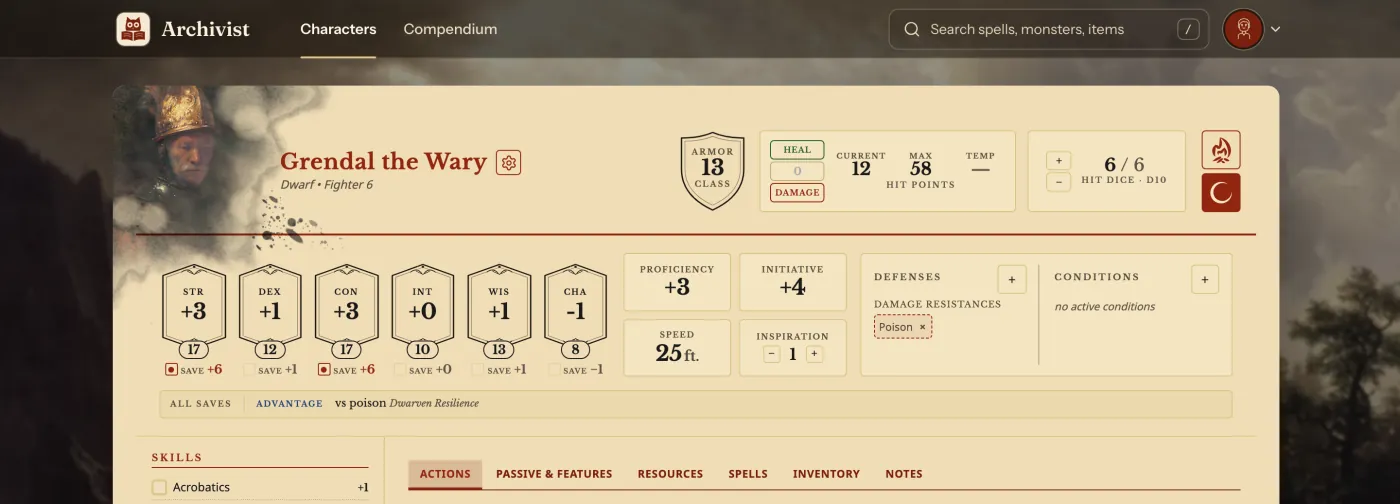
Several levels at once, or back a level
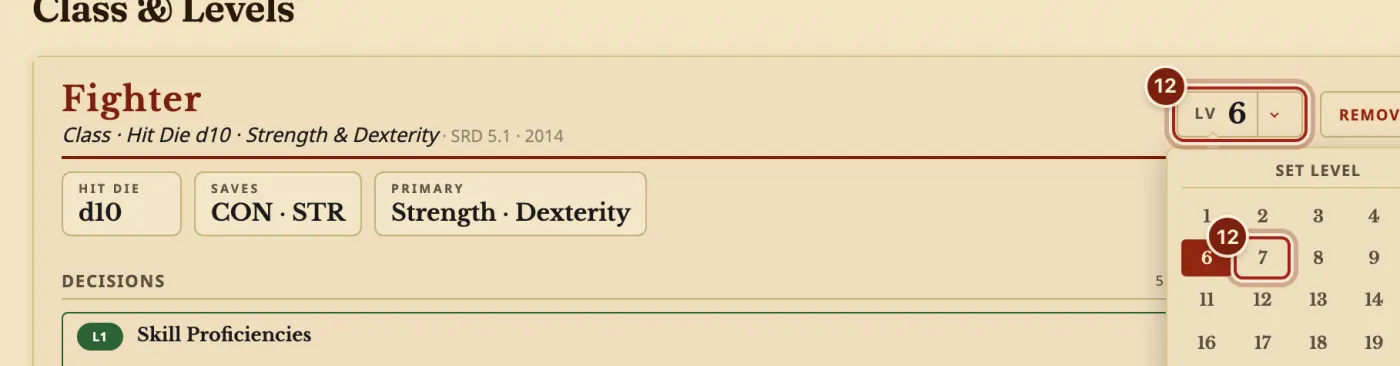
- Press the gear beside your name and choose Builder, then press Class & Levels on the left.
- On your class's card, press Lv and pick the level.
- Make each new choice marked with !, then press Done at the end of the steps and Keep changes.
Lowering a level whose hit points you rolled asks first, because that roll goes with it.
What the sheet works out for you
Level up shows these under What changes before you finish, and again under What changed after.
| At a new level | Where it shows |
|---|---|
| Maximum hit points and Hit Dice | At the top of the sheet. |
| Proficiency bonus | Saves, skills, attacks and spell save DC follow it. |
| New features, with their uses | The Actions and Passive & Features tabs. |
| Spell slots, and how many spells you prepare | The Spells tab, and Manage spells. |
Questions
Does anything change before I press Finish?
No. Press Cancel, Back or Back to the sheet to stop. Archivist asks Stop levelling up?, and your character stays at the level they were.
Can I go back a level?
Yes, in the Builder: press Lv on your class's card and pick the lower level. If you rolled that level's hit points, it asks first.
Does my DM see that I levelled up?
Yes. In a campaign, your DM gets a notice such as Grendal the Wary reached level 6, with your new maximum hit points. A hit point roll shows in the campaign's rolls too.
Can I level up on my phone?
Yes. Press your portrait or name at the top of the sheet, then Level up. It fills the screen, step by step.
My DM uses different rules for this. Can I change a number?
Yes. Any number on the sheet can be changed by hand, and one click puts it back to the rules.
Does levelling up use my spells or rests?
No. Nothing you spent changes, and your current hit points stay as they are until you heal or rest.
Keep going
- Multiclass a characterLevel up's A new class, or Add another class in the Builder; spell slots are worked out for you.
- Make a character, step by stepQuick build for one screen, Standard Builder for every choice.
- Track spell slots and prepare spellsCAST spends the slot; Manage spells prepares, swaps and learns.
- Make a homebrew featWrite it in the homebrew editor, then take it in the Builder.
- Add feats, boons and DM gifts with Extra featuresBuilder, Extra features, Add a feature: or write your own.