Rolling dice from the sheet: advantage, disadvantage and custom rolls
You want to roll from the sheet with the right bonus, and add what this hit needs: a critical hit, a smite or a feat's dice.
Click a number on your sheet to roll it. Right-click it for advantage or disadvantage. To add a critical hit, a smite or extra dice, choose Roll custom damage…, tick what this hit adds and press Roll. The result shows every die.
- For players and DMs
What you can click
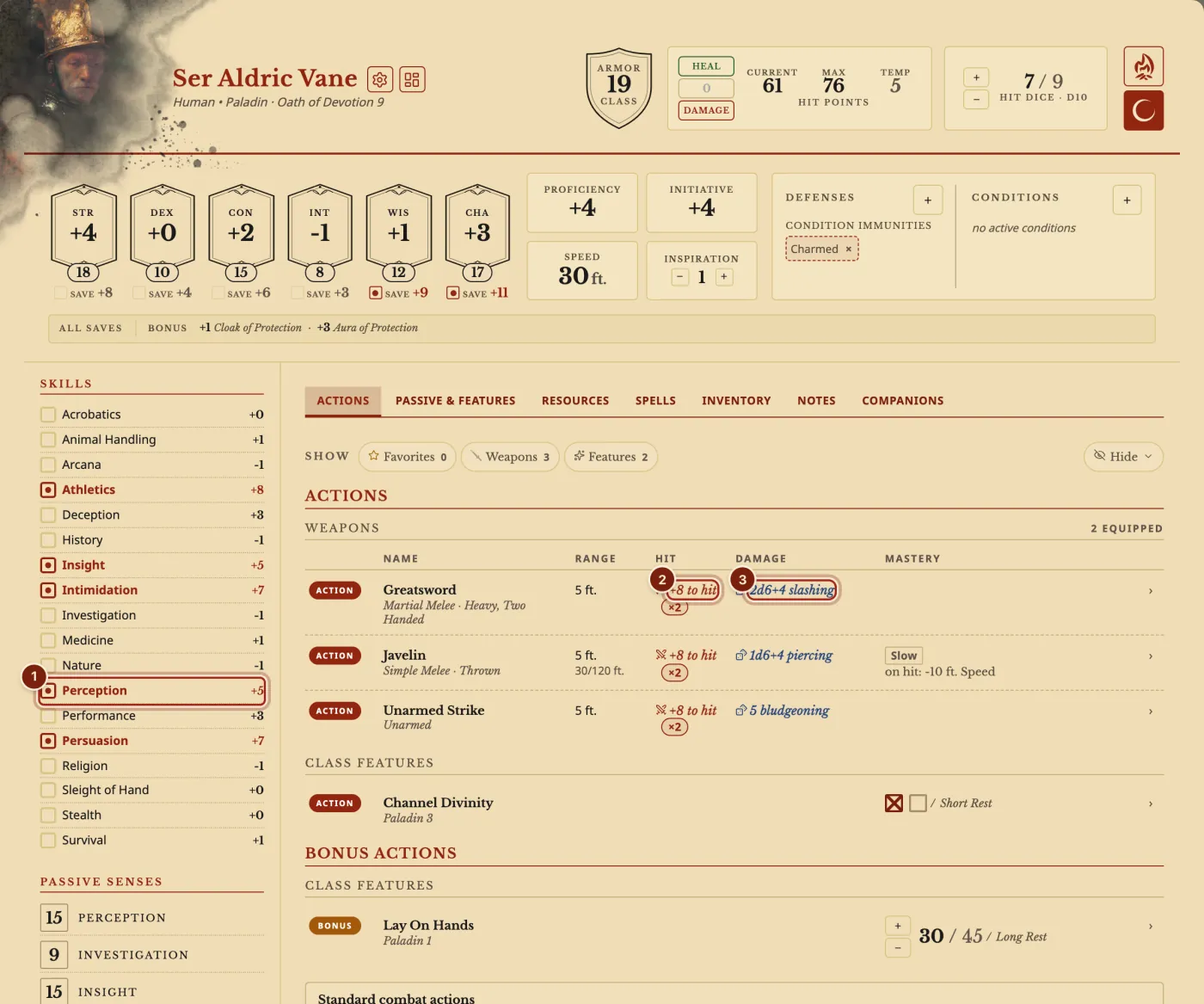
Skills, saving throws, ability checks, initiative, death saves, to-hit numbers and damage all roll on a click. The number rolled is the number shown, with your proficiency, gear and feats already in it.
Advantage and disadvantage
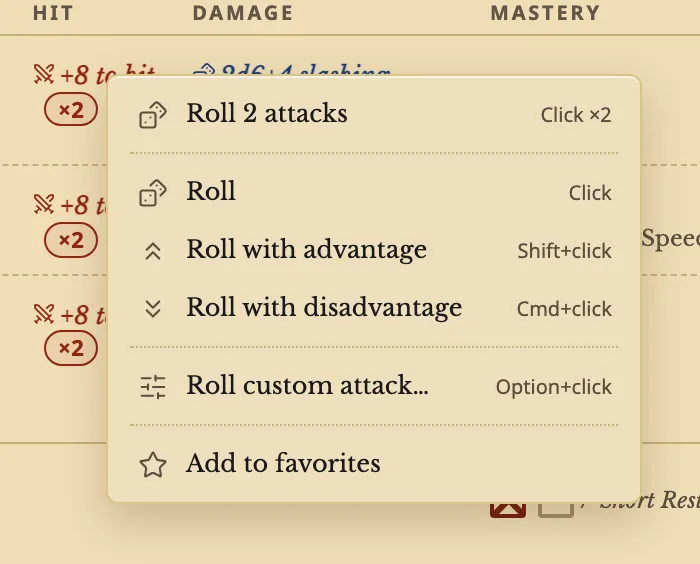
Shift+click rolls with advantage. Cmd+click, or Ctrl+click on Windows, rolls with disadvantage. Right-click a number, or press and hold it on a touch screen, for the same choices in a menu.
A condition or a feature that gives advantage or disadvantage applies on a plain click, and the two cancel out.
Custom damage rolls
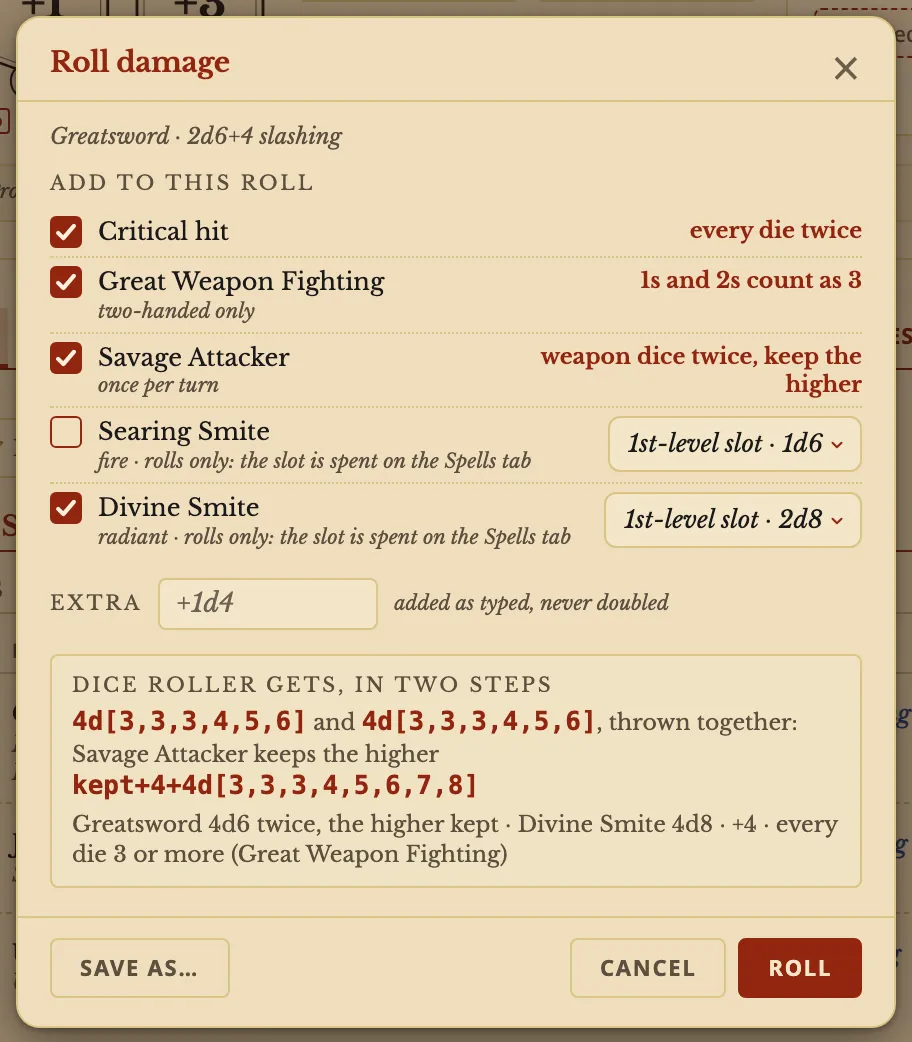
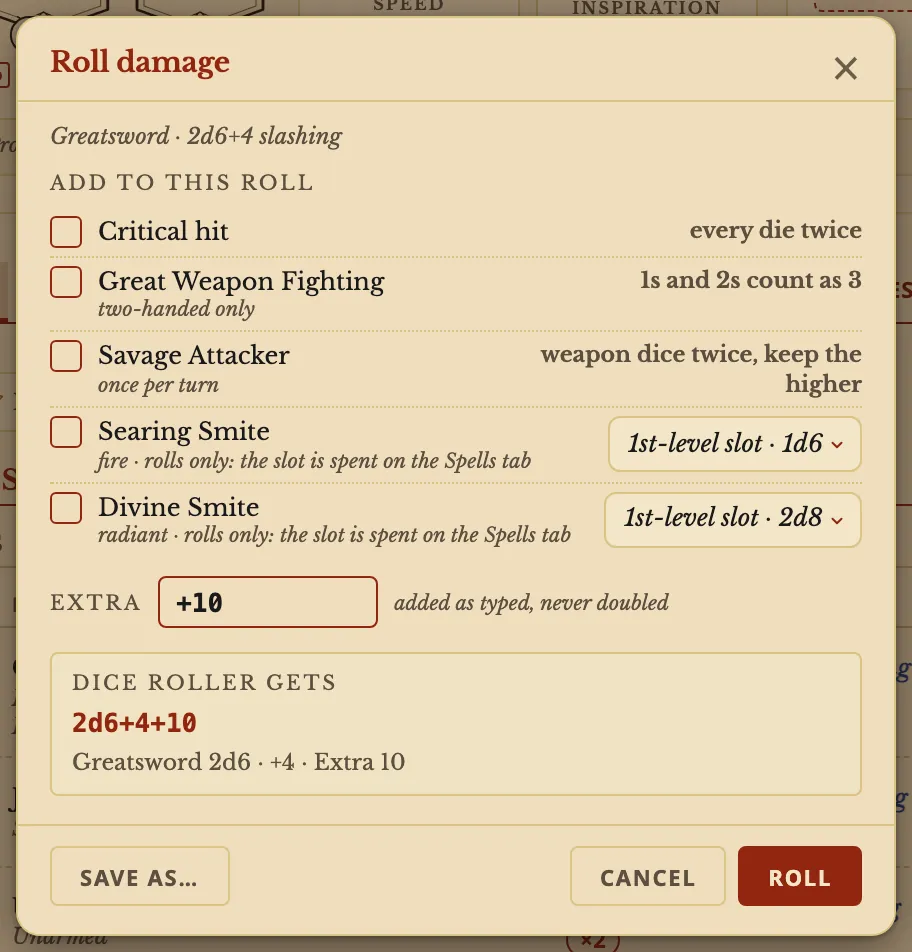
Option+click, or Alt+click on Windows, a damage number, or right-click it and choose Roll custom damage…. The window lists what this character can add. The Dice Roller gets line shows the roll before you make it.
A check, a save and an attack have their own custom windows, with Normal, Advantage and Disadvantage.
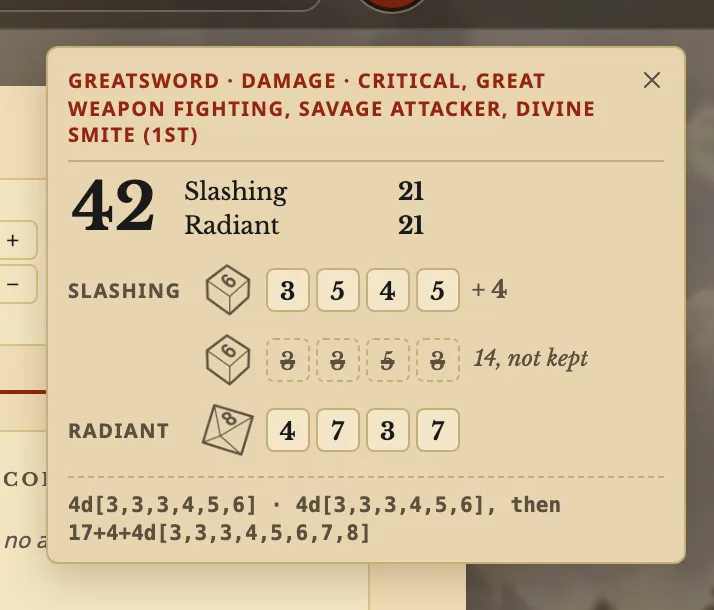
The result
Every die shows, with each damage type apart. Dice that Savage Attacker did not keep are marked not kept. Great Weapon Fighting's 1s and 2s show as 3.
A feat that takes 5 off the attack roll and adds 10 to the damage
Open Roll custom attack… and type -5 in Extra. Open Roll custom damage… and type +10 in Extra.
Save as… keeps each one for this weapon or for every attack, so it appears under Saved in that number's menu.
Roll any dice
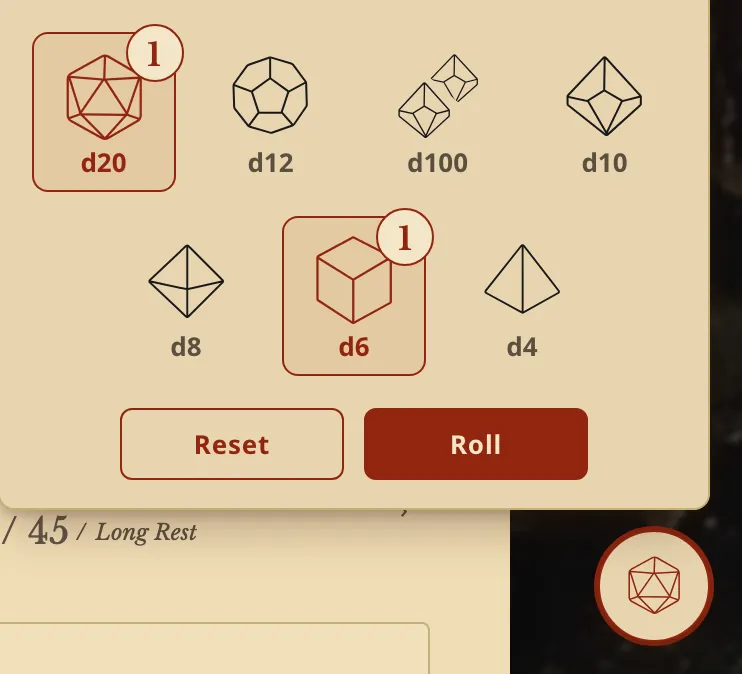
The round dice button at the bottom right of your sheet rolls dice that are not on the sheet. Press a die to add one, press its number to take one off, then press Roll.
Press and hold a die to type how many, for any mix of dice, hundreds at a time. A roll of more than 40 dice shows its result at once, with Every die to see each number.
What you can add to a damage roll
| In the window | What it does |
|---|---|
| Critical hit | Every damage die twice, modifiers once: 2d6+4 becomes 4d6+4. Critical hits in Settings offers two other rules. |
| Savage Attacker | Rolls the weapon's dice twice and keeps the higher, once per turn. Other damage rolls once. |
| Great Weapon Fighting | On a melee weapon held in two hands, a 1 or 2 on a damage die counts as 3. |
| Divine Smite | Adds 2d8 Radiant at a 1st-level slot, and more at a higher one. Pick the level in the row. The slot is spent on the Spells tab. |
| Extra | What you type, such as +1d4 or +10. |
Questions
Does a smite spend my spell slot?
No. A smite in this window only rolls. Spend the slot on the Spells tab.
Can I keep a custom roll?
Yes. Save as… keeps it for this weapon or for every attack.
Can other players see my rolls?
In a campaign, you choose who sees them. See Shared dice.
Keep going
- Step by step: Roll dice and build a custom rollClick a number to roll it; Option+click damage to build the roll.
- Shared dice: choose who sees each roll, the table, the DM or only youChoose who sees each roll: the table, the DM or only you. Rolls sent to the table show as 3D dice on the other players' screens.
- Summons on the character sheet: casting the spell adds the creatureCasting a summoning spell adds the creature to your Companions tab, with its stat block and hit points.
- DM dashboard: every player's HP, AC and conditions on one pageEvery player's HP, AC and conditions on one page, which the DM arranges with notes, monsters and rolls.