How to roll dice and build a custom roll
The short answerPress any check, save, attack or damage number on your sheet to roll it. To add a critical hit, a smite or extra dice, right-click a damage number and choose Roll custom damage…, tick what this hit adds and press Roll. The result shows every die and each damage type.
- For players
- 12 short steps
- Updated 18 November 2026, for Archivist 1.6.2
This page's example is Ser Aldric Vane, a level 9 Paladin with a longsword.
Roll a number on your sheet
- On your sheet, press the Actions tab.
- Press a to-hit number. The result appears beside your sheet.
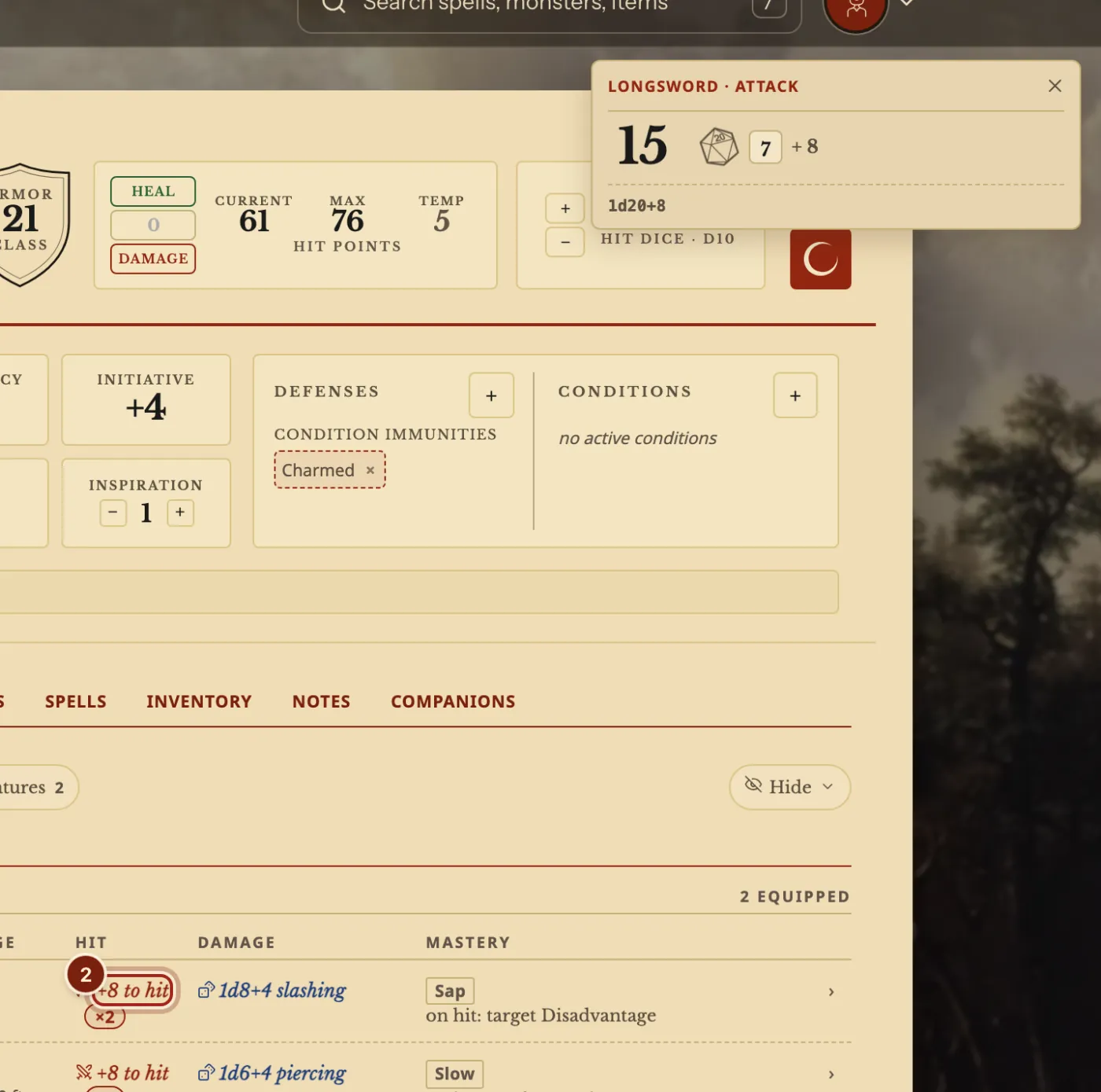
Build a custom roll
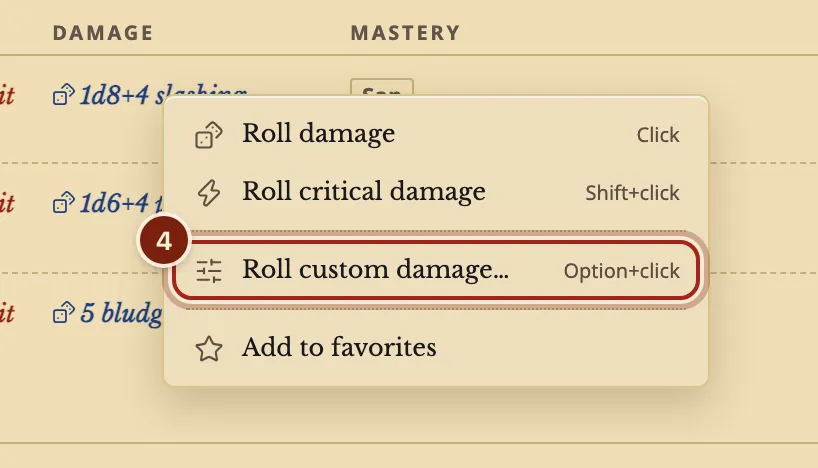
- Right-click a damage number. On a touch screen, press and hold it.
- Choose Roll custom damage….
Option+click (Alt+click on Windows) goes straight to this window, and Shift+click rolls critical damage.
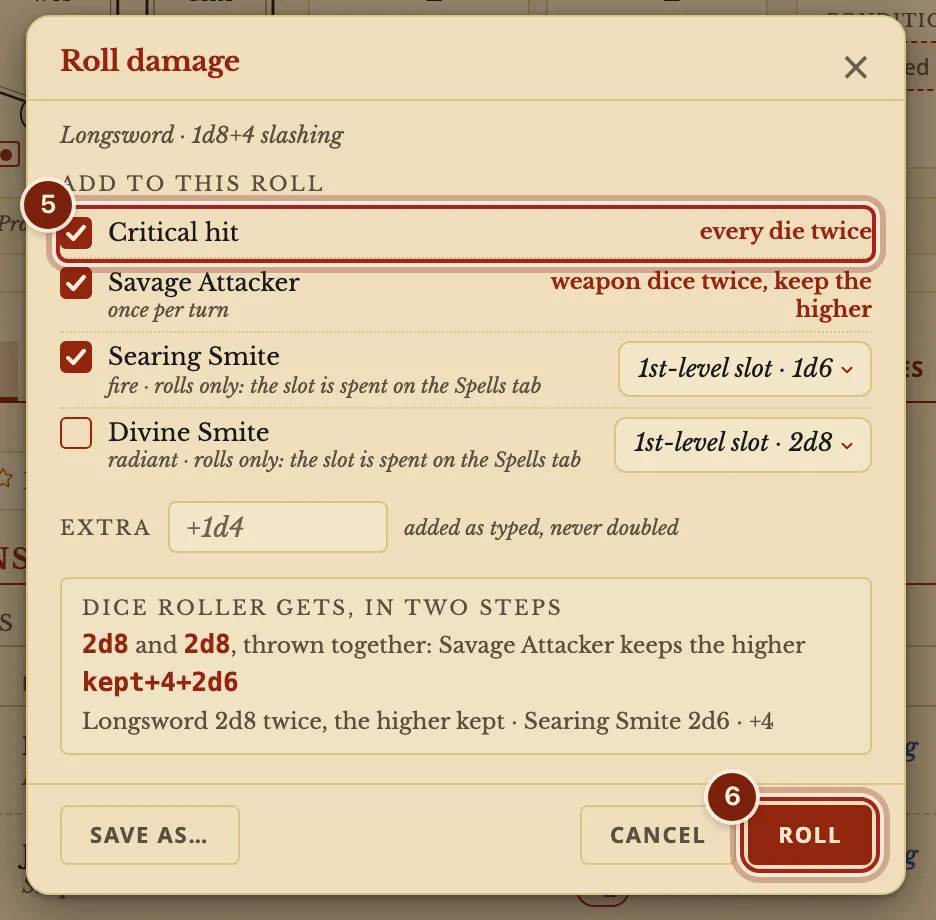
- Tick what this hit adds. The window shows the roll before you make it.
- Press Roll.
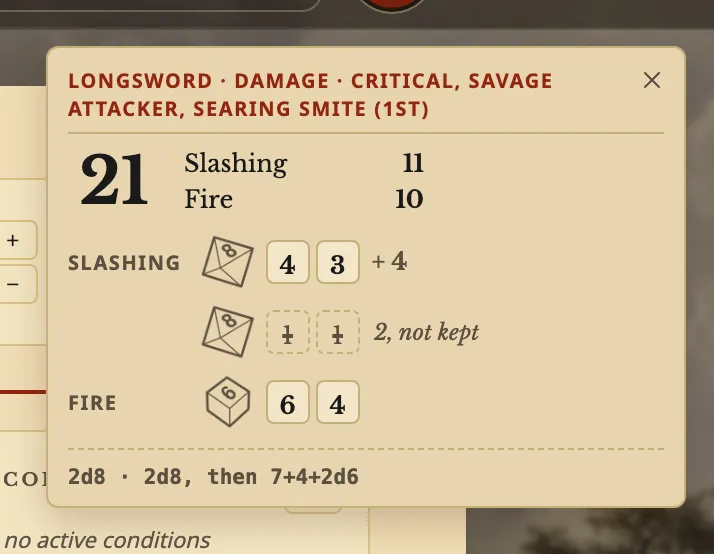
- Read the result. Every die shows, with each damage type apart.
Roll any dice
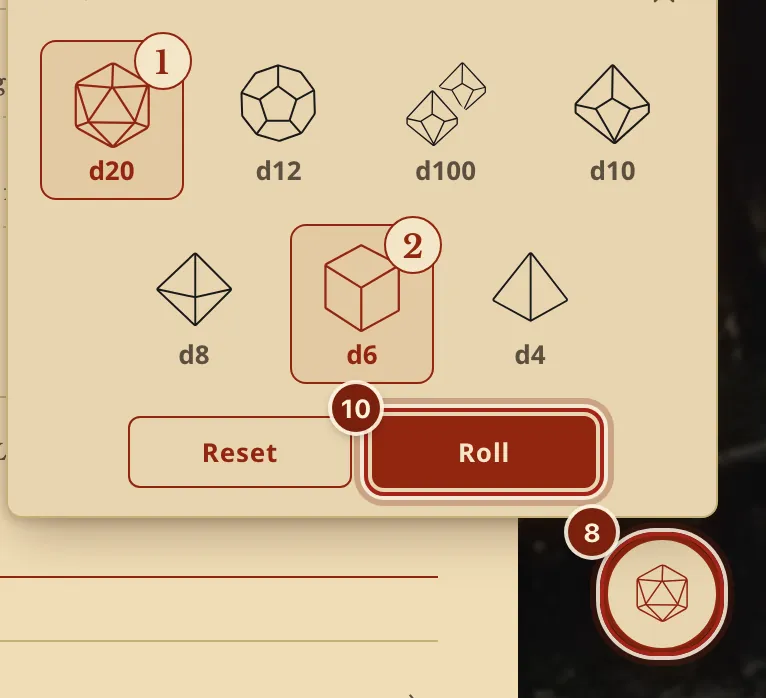
- On your sheet, press the round dice button at the bottom right. On a phone it sits just above the bar at the bottom.
- Press a die to add one. Press the number on a die to take one off again.
- Press Roll.
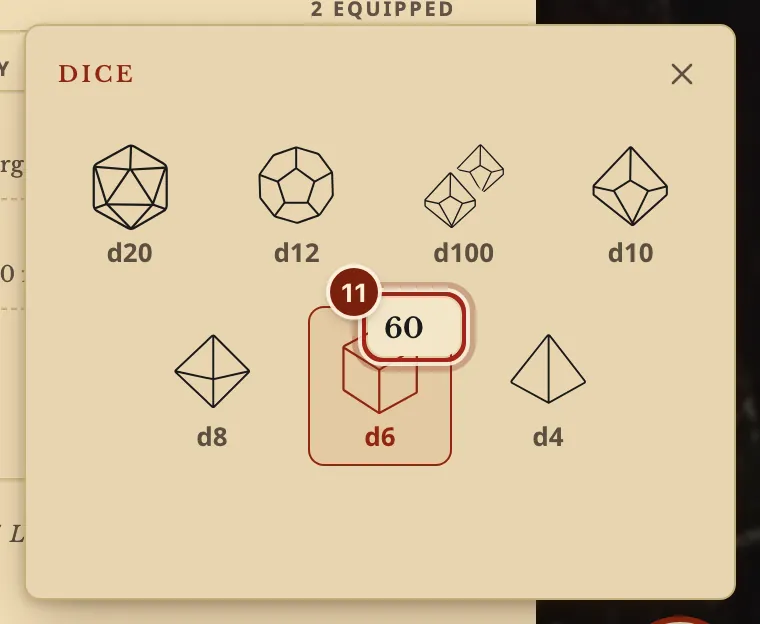
- For a big handful, press and hold a die until a box opens, type how many, and press Enter. Any mix of dice works, hundreds at a time.
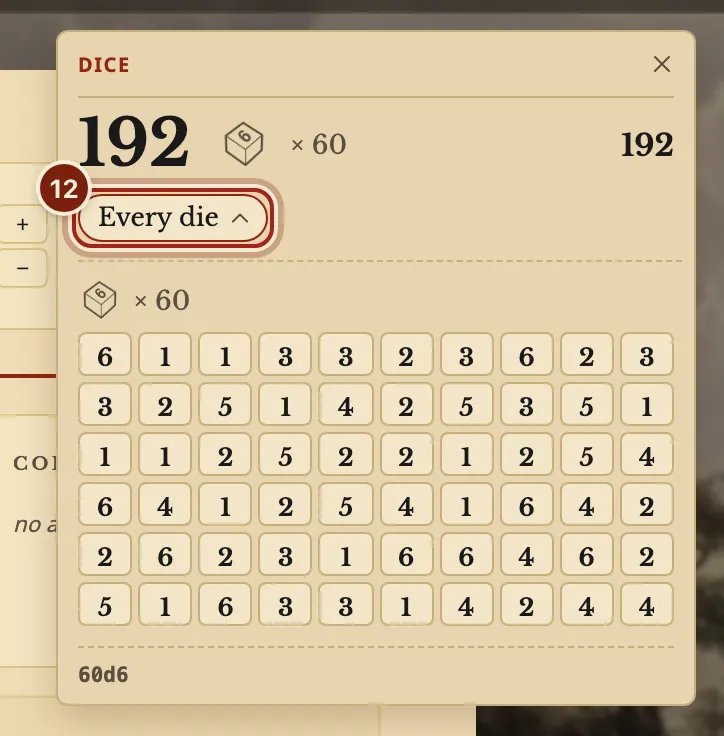
- Press Roll. A roll of more than 40 dice shows its result at once: the total, one line for each kind of die, and Every die to see every number.
In a campaign, the rest of the table gets the same card, with no dice thrown on their screens.
Every way to roll
These work on a damage number. A to-hit number and a check have the same menu with their own rolls.
| To do this | On a computer | On a touch screen |
|---|---|---|
| Roll it | Click | Tap |
| Roll critical damage | Shift+click | Press and hold, then Roll critical damage |
| Build a custom roll | Option+click or Alt+click | Press and hold, then Roll custom damage… |
Questions
How do I roll with advantage?
Right-click the to-hit number and choose Roll custom attack…, where you can pick normal, advantage or disadvantage. A condition or a feature that gives advantage is applied for you, and the result says where it came from.
Does a smite spend my spell slot?
No. A smite in this window only rolls. Spend the slot on the Spells tab.
Can the DM roll different dice for a monster?
Yes. On a campaign's pages, the DM's dice panel has Choose dice, which sets the dice the DM's rolls wear until the DM changes them. See Choose the dice for each roll as the DM.
Can my table see my rolls?
In a campaign, your rolls go to the DM unless you choose The table or Only me in Settings, under Rolls. Everyone's dice fly side by side at the same moment, and each roll leaves a card naming who rolled. See See every roll at your table.
Keep going
- See every roll at your table liveRolls go to the DM by default and land on your screen as they happen.
- Choose the dice for each roll as the DMChoose dice in the dice panel, and roll any number of dice at once.
- Track spell slots and prepare spellsCAST spends the slot; Manage spells prepares, swaps and learns.
- Choose the resources on top of your sheetAppearance, then Pinned: pick up to five and put them in order.