How to play the 2024 rules, the 2014 rules, or both
The short answerBoth are built in: SRD 2024 holds the 2024 rules (SRD 5.2) and SRD 5e the 2014 rules (SRD 5.1), and the Builder lists them side by side with their edition on each row. Your character plays the rules of its first class, and you can still take a species, background or feat from the other edition.
- For players and DMs
- 5 short steps
- Updated 18 November 2026, for Archivist 1.6.2
SRD 5.1 and SRD 5.2 are included under CC BY 4.0.
Pick your edition in the Builder
- In the Builder, each species, class and background row shows its source and edition, such as SRD 2024 or SRD 5e.
- Pick your first class from the edition you play. That class sets your character's rules.
- Pick a species, background and feats from either edition.
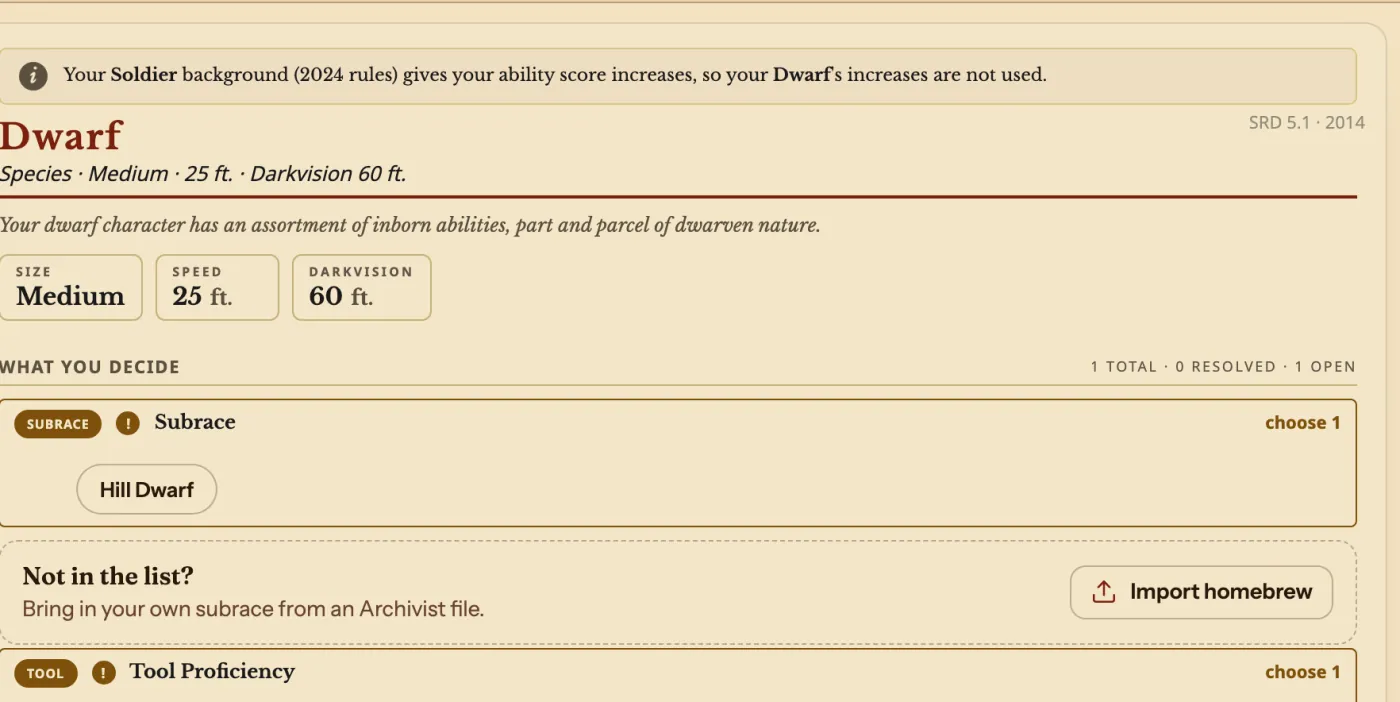
When a 2024 background gives your ability score increases, a note on the Race / Species and Background steps says your 2014 species' increases are not used. If your table keeps both, turn on Keep species ability score increases on the Abilities step. The other way round, a 2024 species with a 2014 background gets its increases to pick on the Background step.
Show only one edition
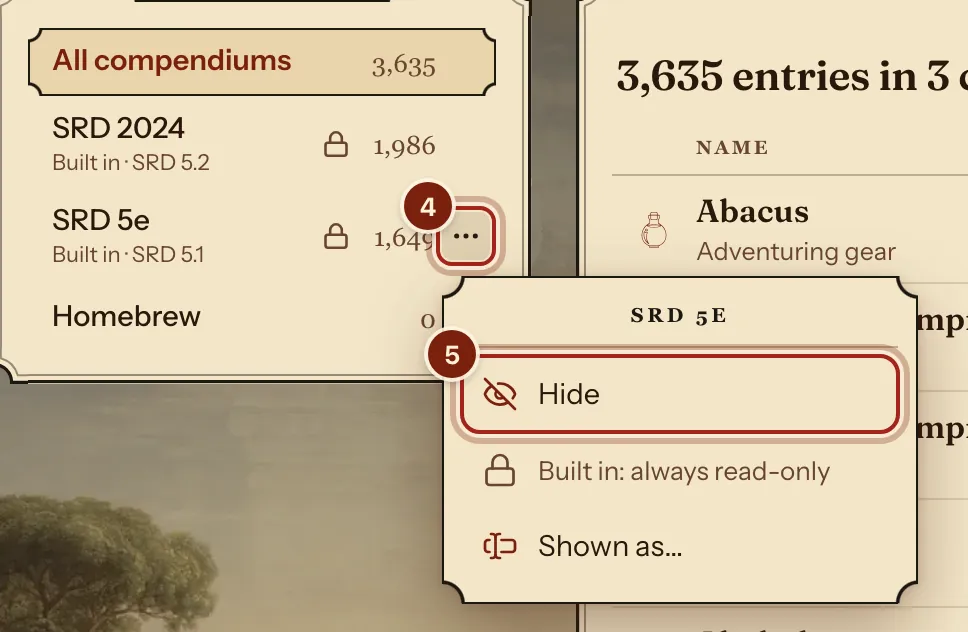
- Press Compendium. In the Compendiums list on the left, press the ⋯ beside the edition you do not play, SRD 5e or SRD 2024. On a computer it shows when you point at the row; on a phone or a tablet, press Compendiums first.
- Press Hide. The row reads Hidden, and the edition leaves every other list and picker. Characters that use it keep working, and Show in the same menu brings it back.
What changes with the edition
The sheet follows your first class's edition for these rules.
| Rule | 2024 rules | 2014 rules |
|---|---|---|
| Exhaustion | A penalty to d20 tests and Speed per level | The six-level table |
| Conditions | The 2024 wording and effects | The 2014 wording and effects |
| Weapon Mastery | On the weapons you chose to master | Not part of the 2014 classes |
| Wild Shape | Your own hit points, with temporary hit points | The beast's hit points |
| Spells and items | The SRD 2024 entries | The SRD 5e entries |
Questions
Can one party mix editions?
Yes. Each character follows its own first class, so a 2014 Fighter and a 2024 Wizard can share a campaign.
Can I rename the built-in rules?
Yes. On the Compendium page, press ⋯ beside SRD 5e or SRD 2024, then Shown as…. Type a Name for the list and a Short name for the corner of every block, and press Rename.
How do critical hits work?
In Settings, under Rolls, choose Critical hits: double the dice (the rules as written), maximum dice plus a roll, or double the total.
Can I add content from another book?
Yes, as your own homebrew. See Bring a whole homebrew book into Archivist.
Keep going
- Make a character, step by stepQuick build for one screen, Standard Builder for every choice.
- Make a 5e character in two minutes with Quick buildA name, a face, then species, class, background and level on one screen.
- Bring a whole homebrew book or supplement into ArchivistGive your chat app the book, and it brings it in batch by batch.