How to run initiative
The short answerOn your campaign's Party tab, press Start a fight. Your players are already picked: search for monsters to add them, then press Start. Type each player's number and press Roll for each monster. Press Start round 1, then Next turn to walk the turns.
- For DMs
- 8 short steps
- Updated 18 November 2026, for Archivist 1.6.2
This page's example is three goblins against The Drowned Lantern's party.
Start the fight
- On the Party tab, press Start a fight.
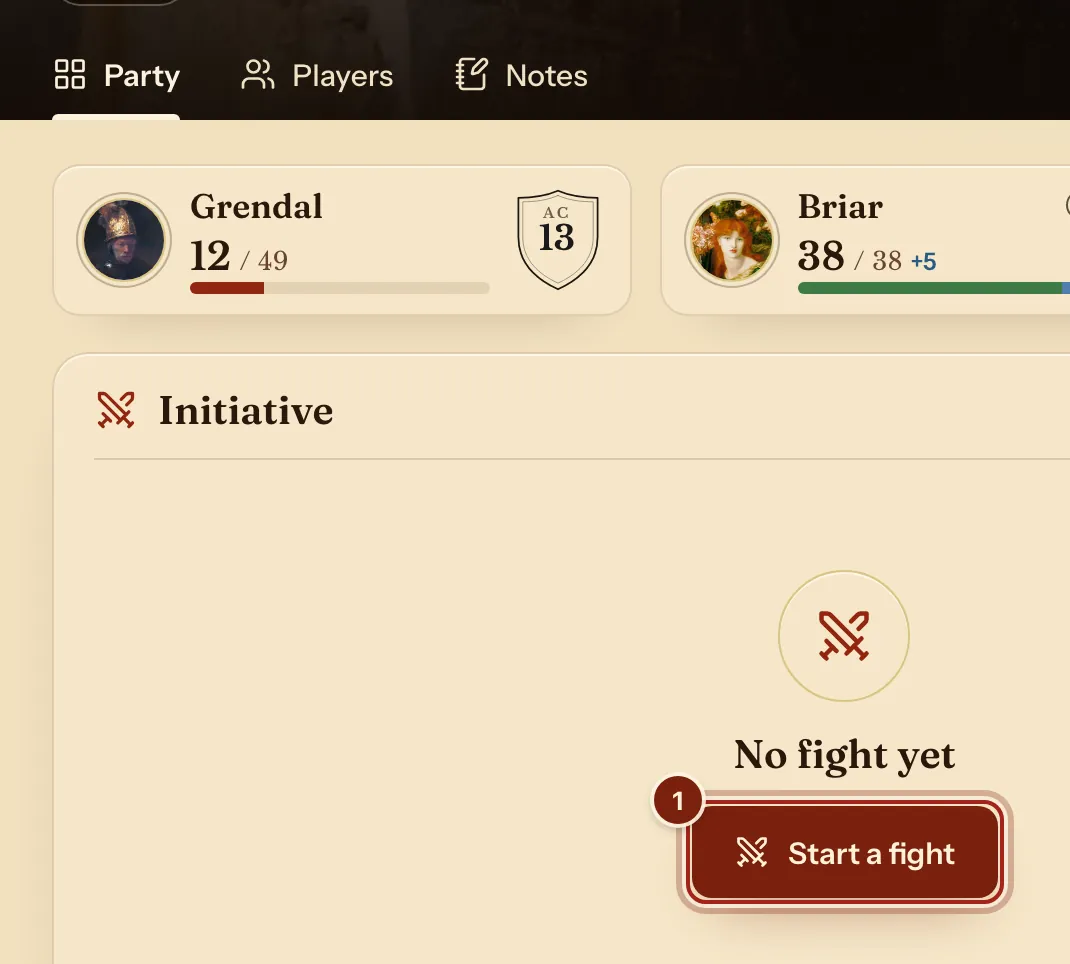
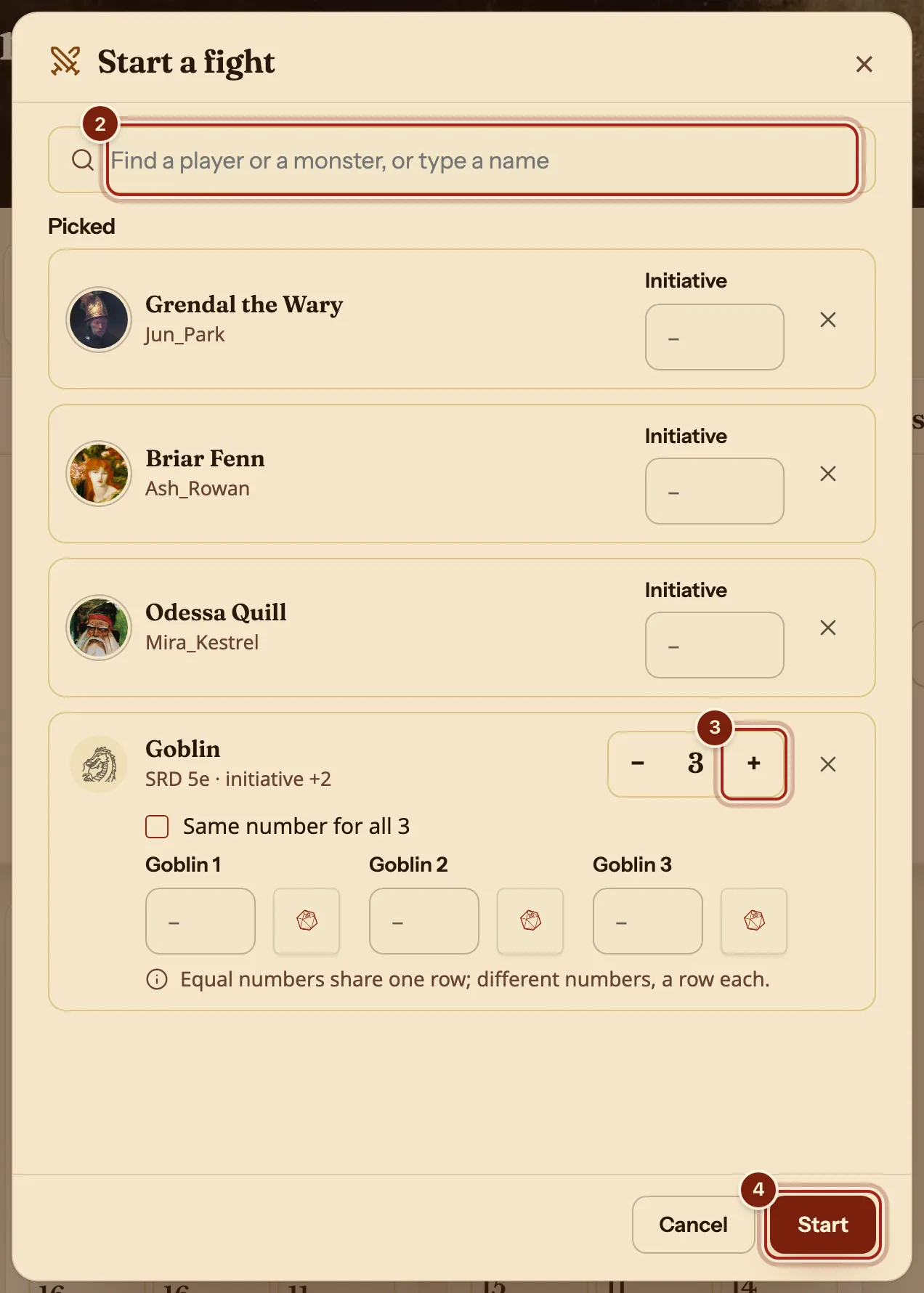
- In the search box, type a monster's name and press it. Your players are already picked.
- Press + for more of the same monster.
- Press Start.
Type a name that is not in the Compendium to add your own entry, such as a trap.
Set the order
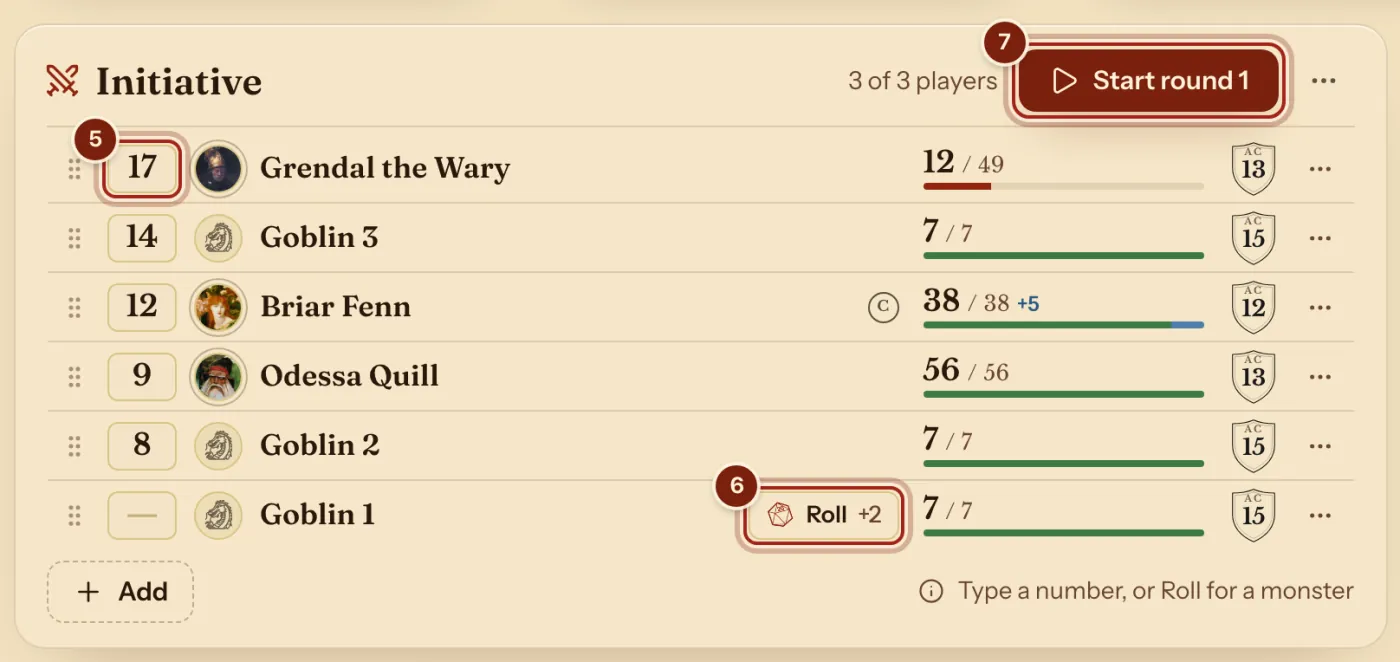
- Type each player's number and press Enter.
- Press Roll on each monster.
- Press Start round 1.
The order sorts itself. Equal numbers share one row.
Walk the turns
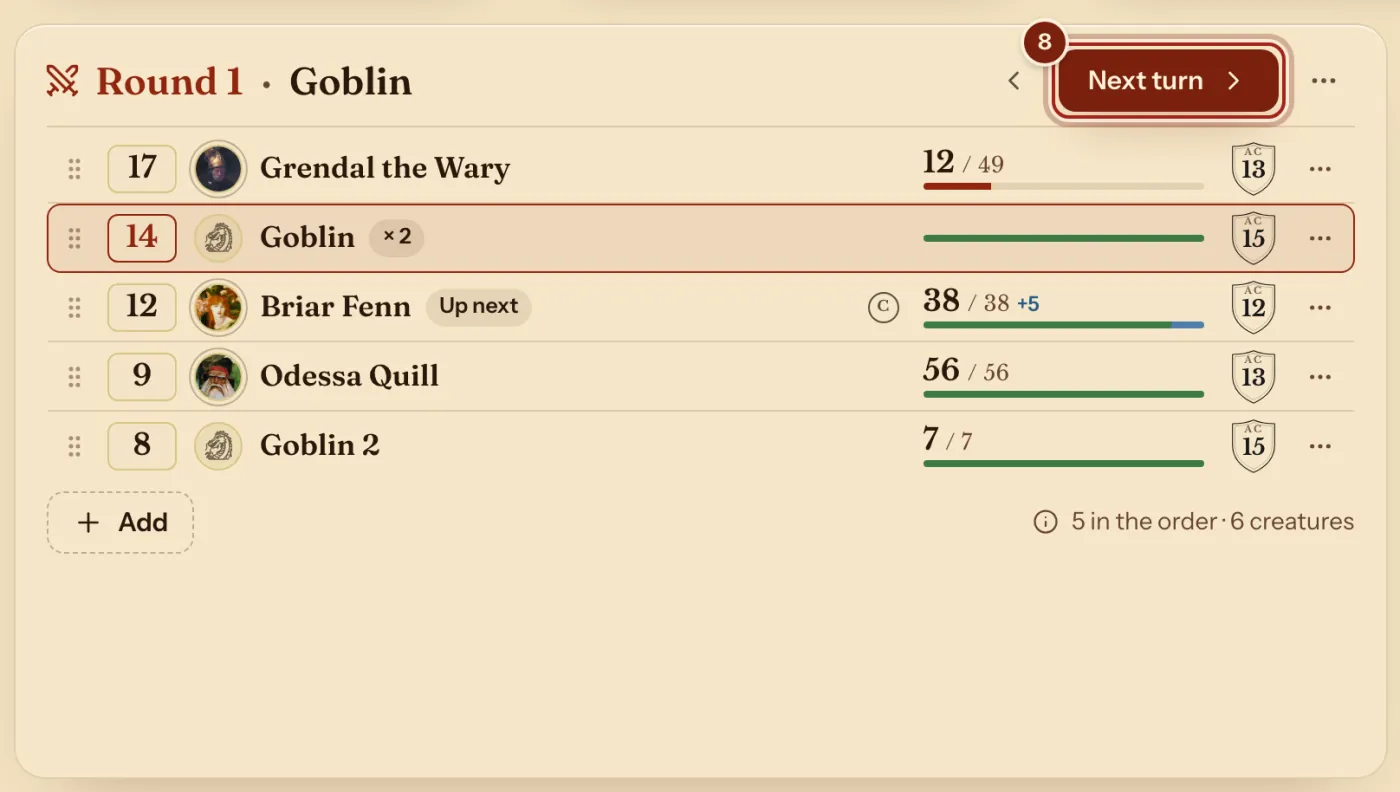
- Press Next turn to move on.
The arrow beside it goes back a turn. Press ⋯ on a row to damage or heal, add conditions, or mark it defeated.
More in the fight
A row's ⋯ and the block's ⋯ hold these.
| To do this | Press |
|---|---|
| Damage or heal someone | Damage or heal on their row. A player's sheet follows. |
| Add a condition | Conditions on their row. |
| Add someone mid-fight | Add under the list, or Add to the fight. |
| Give a custom entry legendary actions | Legendary actions… on its row. |
| Add a monster's lair actions | Add its lair actions (20) on its row. |
| Finish | End the fight. Hit points and conditions stay as they are on each sheet. |
Questions
Can I change the order by hand?
Yes. Drag a row by its handle.
Do monsters use their real stats?
Yes. A monster from the Compendium brings its hit points, Armor Class and initiative bonus. Your homebrew monsters work too: see Make a homebrew monster.
Does ending the fight change anything?
No. Hit points and conditions stay as they are on each sheet.
Keep going
- Use the DM's dashboard: the Party view and your own layoutThe Party tab shows everyone; Arrange moves and sizes the blocks.
- Run a campaignCreate it, send the invite link, accept your players, run it from the Party tab.
- Make a homebrew monsterWrite it in the homebrew editor and roll from its stat block.
- Track conditions and make your ownPress + beside Conditions; your own goes in your compendium.
- Keep campaign notes and share handoutsPages on the Notes tab, and handouts with a PDF or a picture.