How to keep a copy of your character
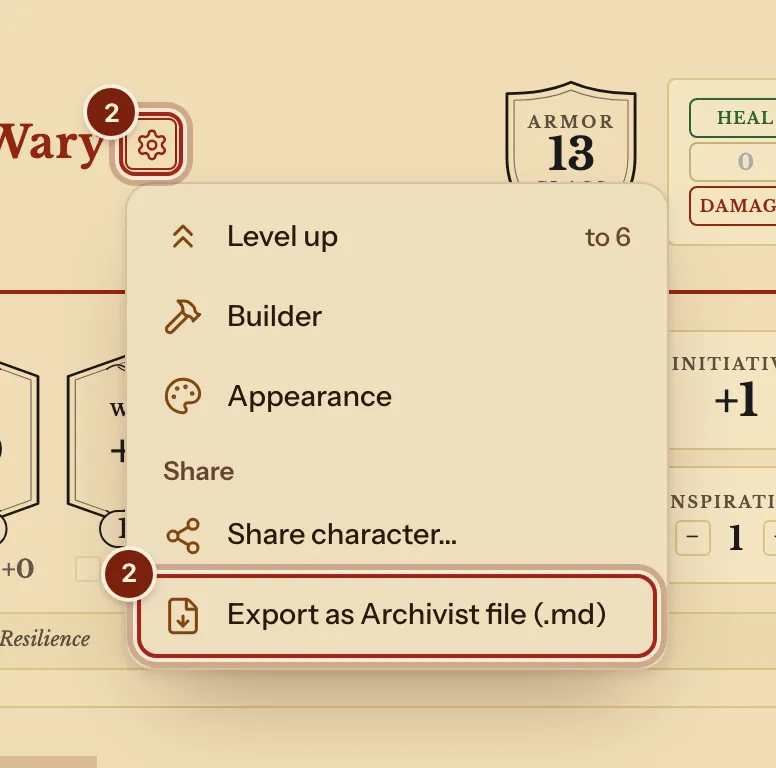
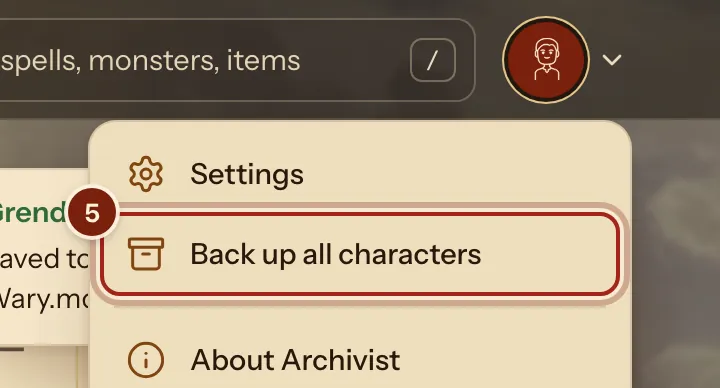
The short answerOn your sheet, press the gear beside the name and choose Export as Archivist file (.md) to download that character. To keep them all, open Your menu at the top right and choose Back up all characters: one zip with every character, their portraits and the homebrew they use.
- For players
- 10 short steps
- Updated 18 November 2026, for Archivist 1.6.2
Your characters already stay in your account and in sync on every device; a copy is for keeping your own.
Download one character
- Open your character's sheet.
- Press the gear beside the name. Under Share, choose Export as Archivist file (.md).
- A note says your character was exported and the file's name in your downloads.
The file holds the whole character: class, choices, gear, spells and hit points. The portrait comes with Back up all characters.
Back up every character
- At the top right, press Your menu.
- Choose Back up all characters. A zip named with today's date goes to your downloads, and a note says how many characters it holds.
Bring a copy back
- Press Characters, New character, then Import a sheet.
- Press Archivist format, then Continue.
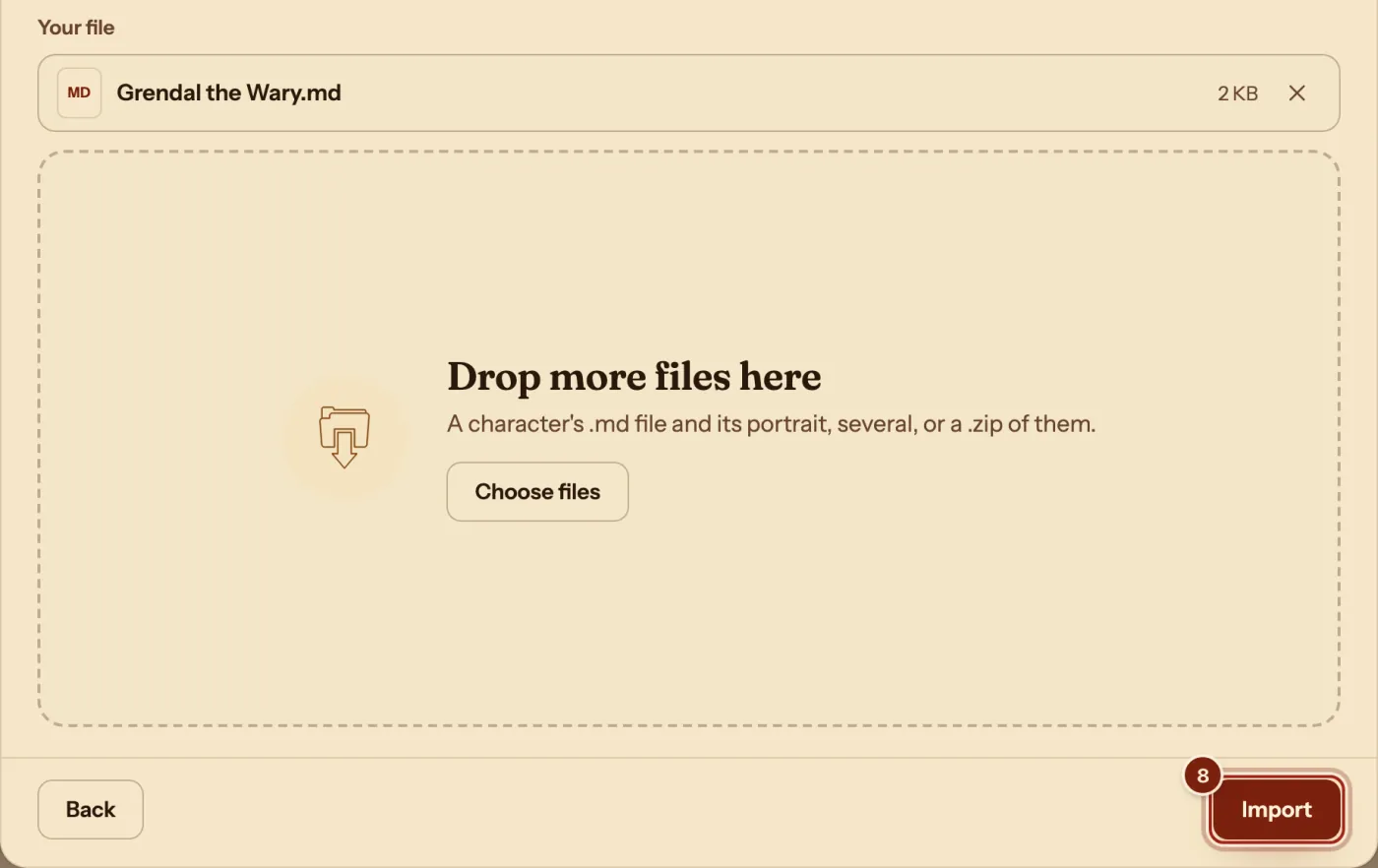
- Press Choose files and pick the .md file or the zip, then press Import.
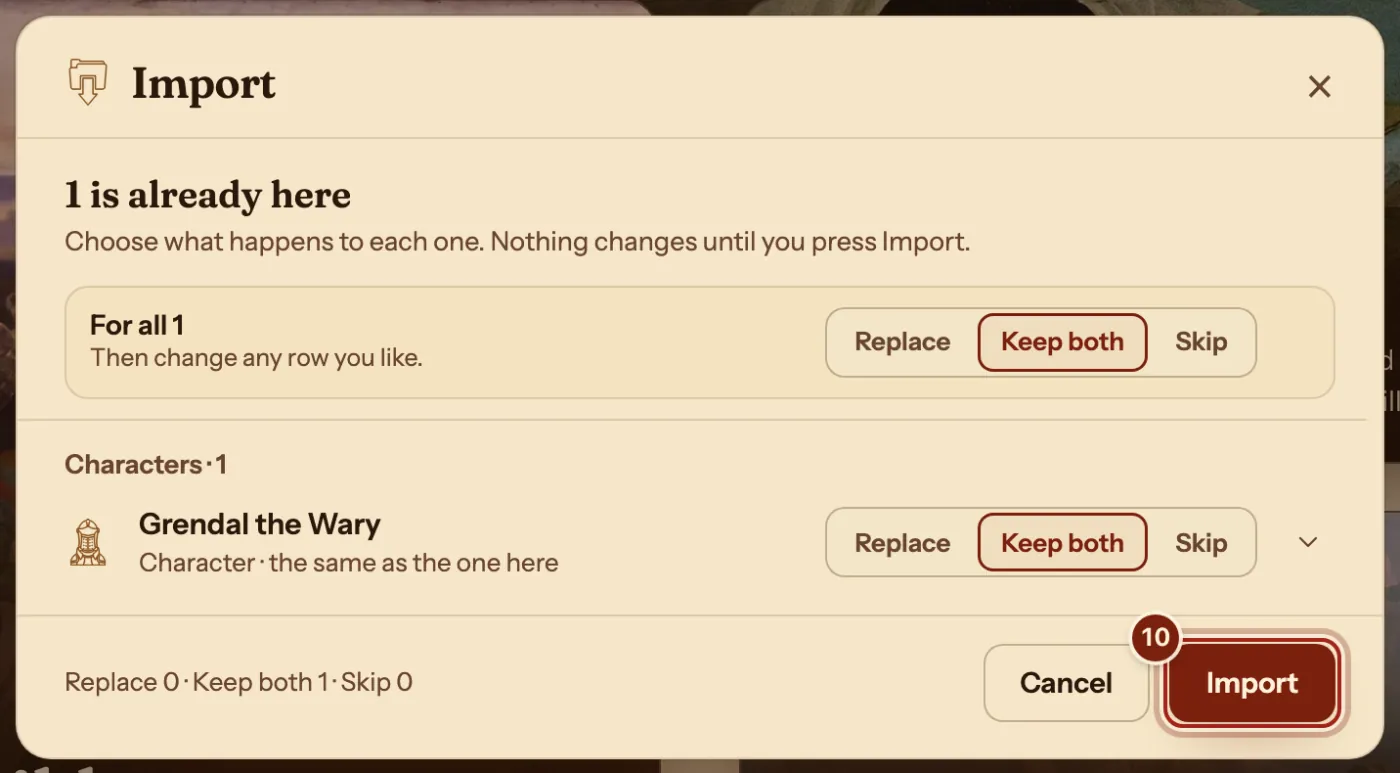
- If the character is already here, Archivist lists it under 1 is already here. Keep both is picked; press Replace to put the file over the one here, or Skip.
- Press Import, then Open and your character's name.
Which copy to keep
Characters come back in with Import a sheet. The homebrew in a backup comes back with Import homebrew on the Compendium page, under Archivist files.
| Export as Archivist file | Back up all characters | |
|---|---|---|
| What it holds | One character | Every character |
| Portraits | Not included | Included |
| Homebrew the character uses | Not included | Included |
| File | A .md file | A .zip file |
Questions
Do I need a copy to play on another device?
No. Sign in on the other device and your characters are already there. See Keep your character on every device.
Can I read the file?
Yes. It is plain text you can open in any text editor.
Can I share my character without sending a file?
Yes. See Share your character with a link.
Keep going
- Keep your character on every deviceSign in on each device and your characters are already there.
- Share your character with a linkCharacter menu, Share character, then Copy link.
- Import a character from a PDF or a photo of your sheetGive your chat app a PDF, photos or the text of any sheet, and it makes the character.